![[kaneko lab.]](https://www.kkaneko.jp/info/logo_png.png)
SQLによるテーブルの関数従属性の確認、分解と結合(SQLite 3を使用)
【概要】
SQLiteを使用して、テーブルの属性間の関数従属性をSQLで確認する方法、およびテーブルを分解して結合する手法を、具体例で解説する。情報無損失分解の概念も扱う。
【目次】
【サイト内の関連ページ】
1. はじめに
属性間の関数従属性をSQLで確認する方法を、具体例で解説する。
テーブルRが属性 a1, a2, ..., am, b1, b2, ..., bn およびその他の属性を持ち、関数従属性 a1, a2, ..., am -> b1, b2, ..., bn が存在する場合、次のSQLの実行結果において、1番目の属性値(count)がすべて「1」となる。
create table S as
select distinct a1, a2, ..., am, b1, b2, ..., bn
from R;

select count(*), a1, a2, ..., am
from S
group by a1, a2, ..., am;
SQLite 3のSQL文法の詳細は、https://sqlite.org/lang.html(英語)を参照。
2. 前準備
SQLite 3の詳細は別ページ »にまとめている。
3. 関数従属性の確認
- SQLite 3の起動
本例では、インメモリデータベース(メモリ上だけに作られ、終了時に消える一時的なデータベース)を使用するため、データベース名の指定は不要である。
sqlite3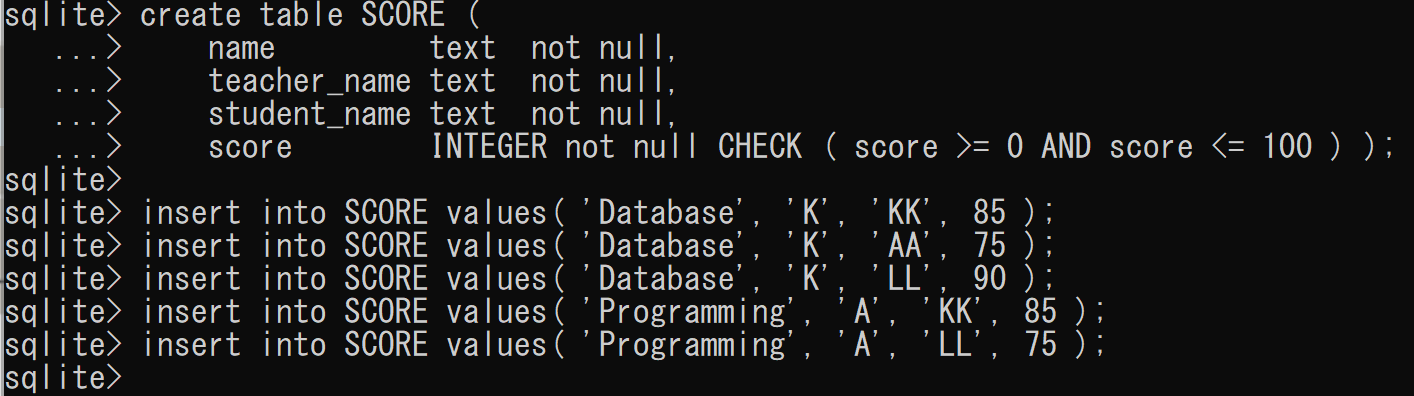
- テーブルの作成
create table SCORE (
    name         text  not null,
    teacher_name text  not null,
    student_name text  not null,
    score        integer not null check ( score >= 0 and score <= 100 ) );

insert into SCORE values( 'Database', 'K', 'KK', 85 );
insert into SCORE values( 'Database', 'K', 'AA', 75 );
insert into SCORE values( 'Database', 'K', 'LL', 90 );
insert into SCORE values( 'Programming', 'A', 'KK', 85 );
insert into SCORE values( 'Programming', 'A', 'LL', 75 );
- 確認表示
select * from SCORE;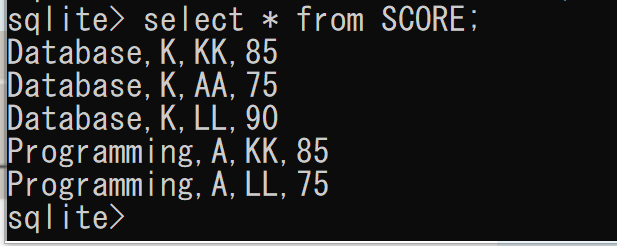
- 関数従属性 name -> teacher_name の確認
実行結果において、1番目の属性値(count)がすべて「1」となることを確認する。
create table S as
select distinct name, teacher_name
from SCORE;

select count(*), name
from S
group by name;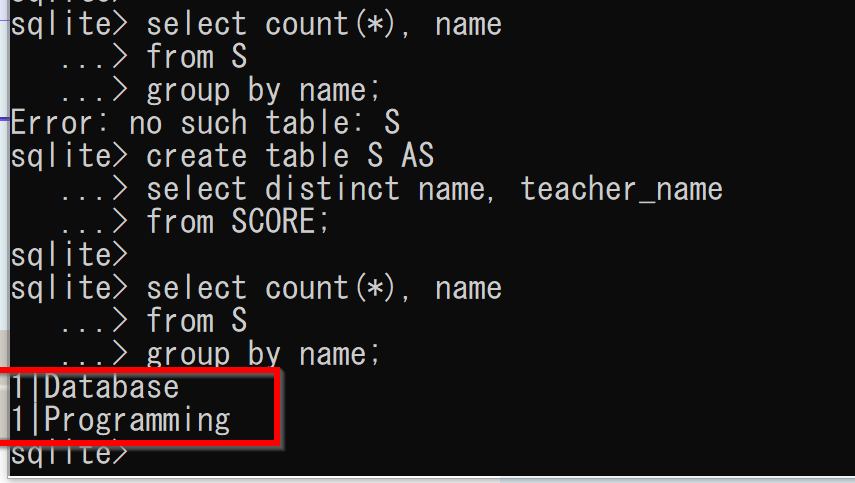
- 関数従属性 name, student_name -> score の確認
実行結果において、1番目の属性値(count)がすべて「1」となることを確認する。
drop table S;

create table S as
select distinct name, student_name, score
from SCORE;

select count(*), name, student_name
from S
group by name, student_name;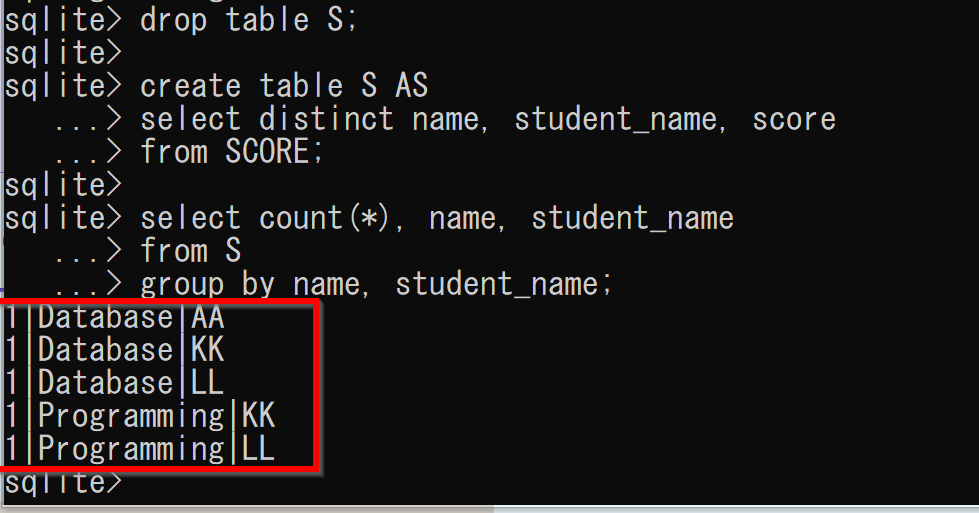
- SQLite 3の終了
.exit
4. テーブルの分解と結合
- SQLite 3の起動
本例では、インメモリデータベースを使用するため、データベース名の指定は不要である。
sqlite3 - テーブルの作成
create table SCORE (
    name         text  not null,
    teacher_name text  not null,
    student_name text  not null,
    score        integer not null check ( score >= 0 and score <= 100 ) );

insert into SCORE values( 'Database', 'K', 'KK', 85 );
insert into SCORE values( 'Database', 'K', 'AA', 75 );
insert into SCORE values( 'Database', 'K', 'LL', 90 );
insert into SCORE values( 'Programming', 'A', 'KK', 85 );
insert into SCORE values( 'Programming', 'A', 'LL', 75 );
- 確認表示
select * from SCORE;
- 2つのテーブルに分解
SCORE(name, teacher_name, student_name, score) を、2つのテーブル
- A(name, teacher_name)
- B(name, student_name, score)
に分解する。テーブルを分解する際は重複行を除去するという規則に従い、distinctを使用する。
create table A as
select distinct name, teacher_name
from SCORE;

create table B as
select distinct name, student_name, score
from SCORE;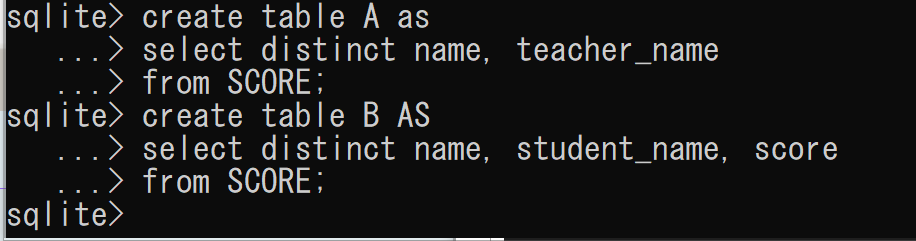
- 確認表示
select * from A;
select * from B;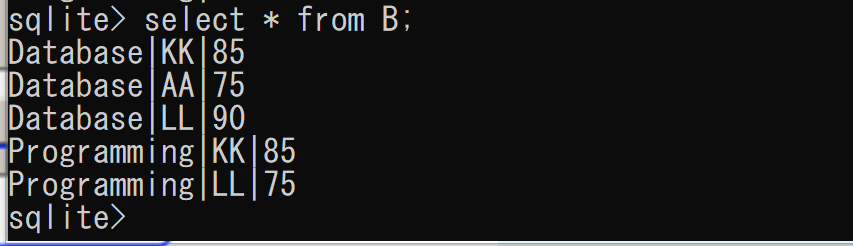
- 元のテーブルSCOREが、分解後の2つのテーブルA、Bから復元可能であることを確認する
select A.name, A.teacher_name, B.student_name, B.score
from A, B
where A.name = B.name;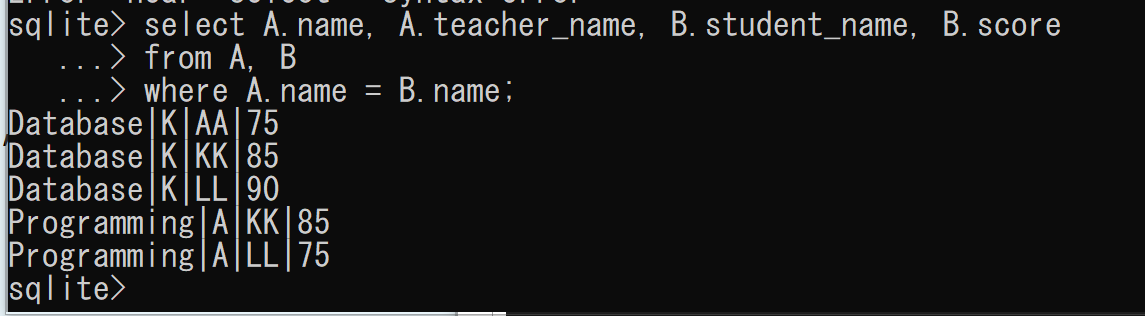
テーブルSCOREはテーブルAとBから復元可能であるため、データベース設計では次の2つの選択肢を検討できる。
- テーブルSCOREをデータベースに格納する
- テーブルSCOREではなく、テーブルAとBをデータベースに格納する
- 情報無損失分解
ここでは、分解方法を変える。分解後のテーブルから元のテーブルを復元できない場合があることを確認する。
create table C as
select distinct name, student_name
from SCORE;

create table D as
select distinct teacher_name, student_name, score
from SCORE;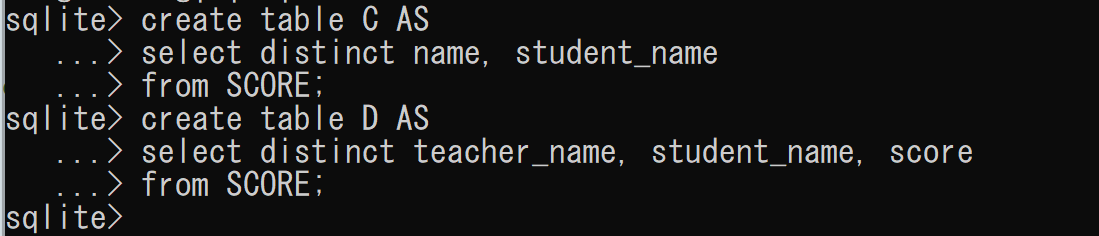
select * from C;
select * from D;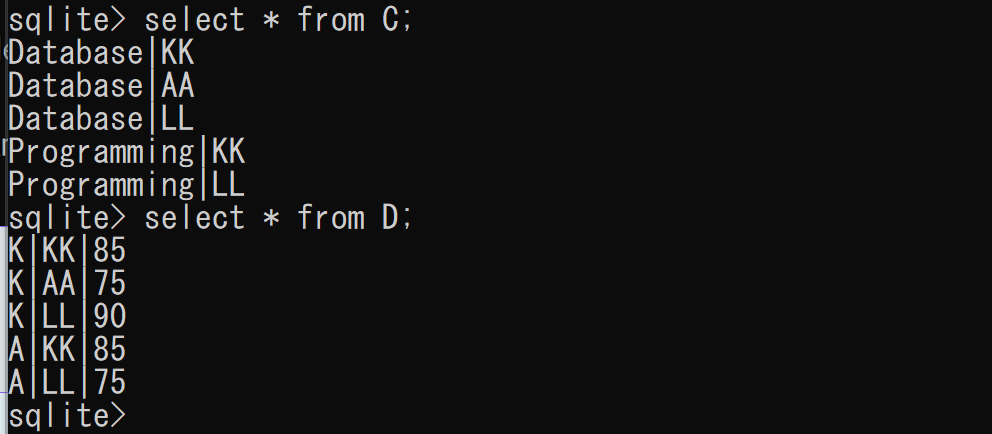
テーブルC、DからはテーブルSCOREを再構築できない。
select C.name, D.teacher_name, C.student_name, D.score
from C, D
where C.student_name = D.student_name;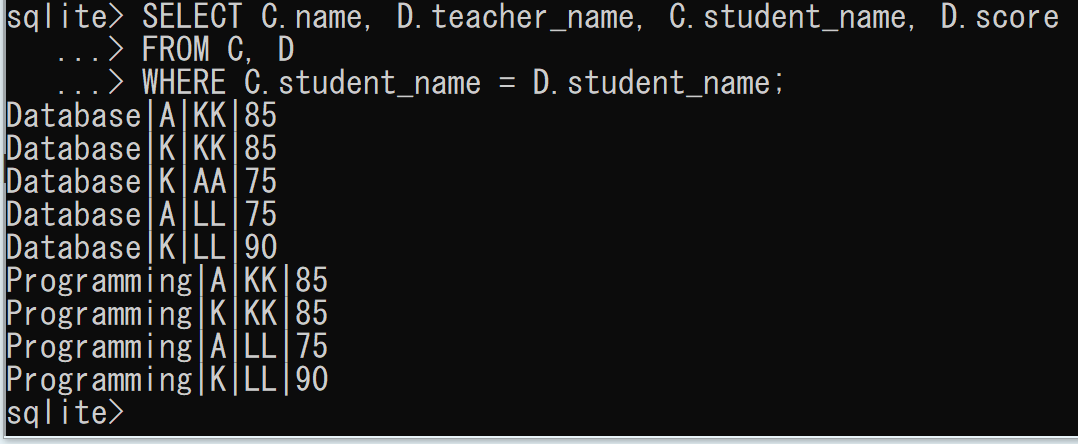
5. 演習問題と解答例
以下の問題に取り組み、解答例を参照して理解を深めてほしい。
問題
次のPTABLEテーブルに関する問題である。
name    |  type   |  color
------------------------------
apple   |  fruit  |  red
apple   |  fruit  |  blue
rose    |  flower |  white
rose    |  flower |  red
rose    |  flower |  yellow
- 次のSQLの実行結果を考えよ。
select distinct name, type from PTABLE;
- 次のSQLの実行結果を考えよ。
select distinct name from PTABLE;
- PTABLEテーブルを、2つのテーブル E(name, type) と F(name, color) に分解した場合の結果を示せ。
- テーブルE、Fに対する、次のSQLの実行結果を考えよ。
select E.name, E.type, F.color
from E, F
where E.name = F.name;
解答例
問合せ結果は1つのテーブルとなり、属性名には元のテーブル名と属性名をドットで連結したドット記法を使用する。
-
select distinct name, type from PTABLE;

name    |  type
------------------
apple   |  fruit
rose    |  flower
-
select distinct name from PTABLE;

name
--------
apple
rose
-
E
name    |  type
------------------
apple   |  fruit
rose    |  flower

F
name    |  color
------------------
apple   |  red
apple   |  blue
rose    |  white
rose    |  red
rose    |  yellow
-
name    |  type   |  color
------------------------------
apple   |  fruit  |  red
apple   |  fruit  |  blue
rose    |  flower |  white
rose    |  flower |  red
rose    |  flower |  yellow