![[kaneko lab.]](https://www.kkaneko.jp/info/logo_png.png)
OpenCV のサンプルプログラム(画像)
【概要】
OpenCV 5 を用いて、静止画像を扱うC++サンプルプログラムをまとめる。GrabCutによるセグメンテーション、ヒストグラム表示、エッジ抽出、コンター抽出、モルフォロジー演算、ハフ変換、楕円フィッティング、MSER、人物検出、特徴点マッチングを扱う。
【目次】
【関連する外部ページ】
- OpenCV の公式ページ: https://opencv.org
- GitHub の OpenCV のページ: https://github.com/opencv/opencv/releases
【サイト内の関連情報】
- OpenCV について [PDF] , [パワーポイント]
- OpenCV のインストール,画像表示を行う C++ プログラムの実行手順: 別ページ »で説明
- OpenCVとPythonを活用した画像・ビデオ処理プログラム: 別ページ »にまとめ
- OpenCV 5 の C/C++ プログラム: 別ページ »にまとめている.
静止画像を扱うもの
- GrabCut によるセグメンテーション
#include <opencv2/imgcodecs.hpp>
#include <opencv2/highgui.hpp>
#include <opencv2/imgproc.hpp>
#include <iostream>

using namespace cv;
using namespace std;

Rect rect;
Mat image, mask, bgdModel, fgdModel, result;
bool rectSet = false;

static void onMouse( int event, int x, int y, int flags, void* )
{
  if( event == EVENT_LBUTTONDOWN )
  {
    rect = Rect( x, y, 1, 1 );
    rectSet = true;
  }
  else if( event == EVENT_MOUSEMOVE && (flags & EVENT_FLAG_LBUTTON) && rectSet )
  {
    rect = Rect( Point(rect.x, rect.y), Point(x, y) );
  }
}

int main( int argc, char** argv )
{
  string filename = argc > 1 ? argv[1] : "fruits.jpg";
  image = imread( samples::findFile(filename), IMREAD_COLOR );
  if( image.empty() )
  {
    cout << "画像を読み込めなかった: " << filename << endl;
    return 1;
  }

  const string winName = "GrabCut";
  namedWindow( winName, WINDOW_AUTOSIZE );
  setMouseCallback( winName, onMouse );
  imshow( winName, image );

  for(;;)
  {
    char c = (char)waitKey(30);
    if( c == 27 ) // ESCキーで終了する
      break;
    if( c == 'r' ) // 選択範囲を描き直す
    {
      rectSet = false;
      imshow( winName, image );
    }
    if( c == 'n' && rectSet ) // 選んだ範囲でセグメンテーションを行う
    {
      mask = Mat::zeros(image.size(), CV_8UC1);
      grabCut( image, mask, rect, bgdModel, fgdModel, 5, GC_INIT_WITH_RECT );
      Mat binMask = (mask == GC_FGD) | (mask == GC_PR_FGD);
      result = Mat::zeros(image.size(), image.type());
      image.copyTo(result, binMask);
      imshow( winName, result );
    }
  }
  return 0;
}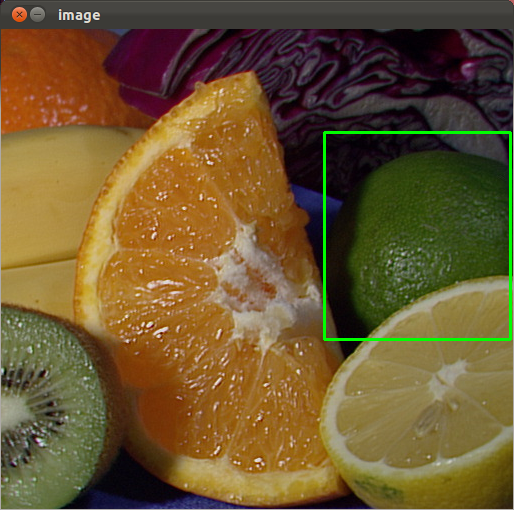
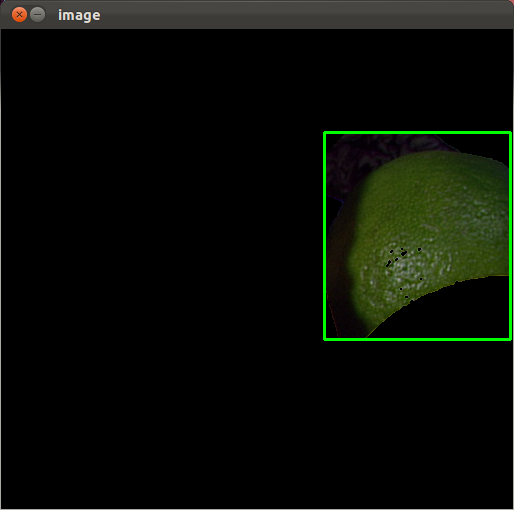
マウスの左ボタンを使って範囲を決める. やり直したいときは r キーを押す. 選んだ範囲でのセグメンテーションを行いたいときは,n キーを押す.
- ヒストグラムとスライドバー
#include <opencv2/imgcodecs.hpp> #include <opencv2/highgui.hpp> #include <opencv2/imgproc.hpp> #include <iostream> using namespace cv; using namespace std; Mat src; int bins = 256; static void drawHist(int, void*) { int histSize = max(bins, 2); float range[] = { 0, 256 }; const float* histRange = { range }; Mat hist; calcHist( &src, 1, 0, Mat(), hist, 1, &histSize, &histRange ); int hist_w = 512, hist_h = 400; Mat histImage( hist_h, hist_w, CV_8UC1, Scalar(0) ); normalize(hist, hist, 0, histImage.rows, NORM_MINMAX); int bin_w = cvRound( (double) hist_w / histSize ); for( int i = 1; i < histSize; i++ ) { line( histImage, Point( bin_w*(i-1), hist_h - cvRound(hist.at(i-1)) ), Point( bin_w*(i), hist_h - cvRound(hist.at (i)) ), Scalar(255), 2, LINE_8, 0 ); } imshow("histogram", histImage); } int main( int argc, char** argv ) { string filename = argc > 1 ? argv[1] : "fruits.jpg"; src = imread( samples::findFile(filename), IMREAD_GRAYSCALE ); if( src.empty() ) { cout << "画像を読み込めなかった: " << filename << endl; return 1; } namedWindow("histogram", WINDOW_AUTOSIZE); createTrackbar("bins", "histogram", &bins, 256, drawHist); drawHist(0, 0); waitKey(0); // ESCキーを含む任意のキーで終了する return 0; } 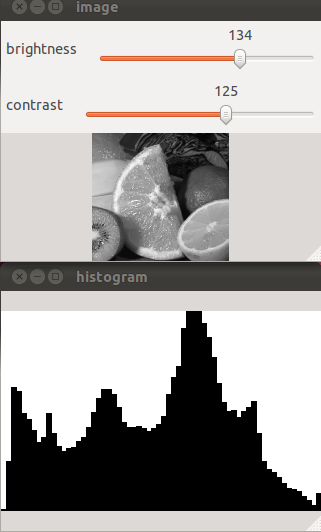
- エッジ抽出
#include <opencv2/imgcodecs.hpp>
#include <opencv2/highgui.hpp>
#include <opencv2/imgproc.hpp>
#include <iostream>

using namespace cv;
using namespace std;

int main( int argc, char** argv )
{
  string filename = argc > 1 ? argv[1] : "fruits.jpg";
  Mat src = imread( samples::findFile(filename), IMREAD_GRAYSCALE );
  if( src.empty() )
  {
    cout << "画像を読み込めなかった: " << filename << endl;
    return 1;
  }

  Mat edges;
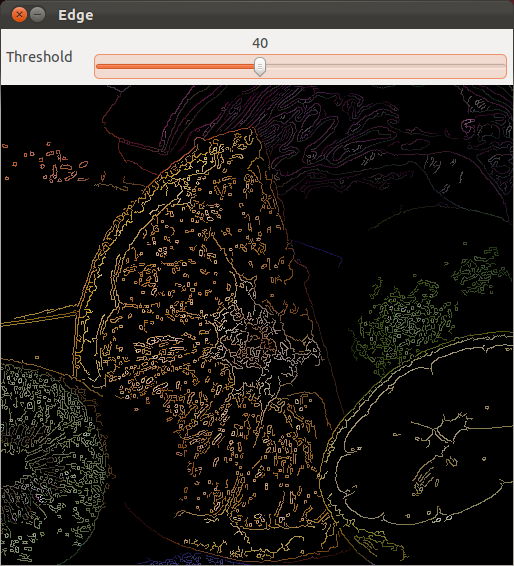
  Canny( src, edges, 50, 200, 3 ); // Canny法によるエッジ検出

  namedWindow( "edge", WINDOW_AUTOSIZE );
  imshow( "edge", edges );
  waitKey(0); // ESCキーを含む任意のキーで終了する
  return 0;
}
- コンター (contour)
#include <opencv2/imgcodecs.hpp> #include <opencv2/highgui.hpp> #include <opencv2/imgproc.hpp> #include <iostream> using namespace cv; using namespace std; int main( int argc, char** argv ) { string filename = argc > 1 ? argv[1] : "fruits.jpg"; Mat src = imread( samples::findFile(filename), IMREAD_GRAYSCALE ); if( src.empty() ) { cout << "画像を読み込めなかった: " << filename << endl; return 1; } Mat bin; threshold( src, bin, 128, 255, THRESH_BINARY ); vector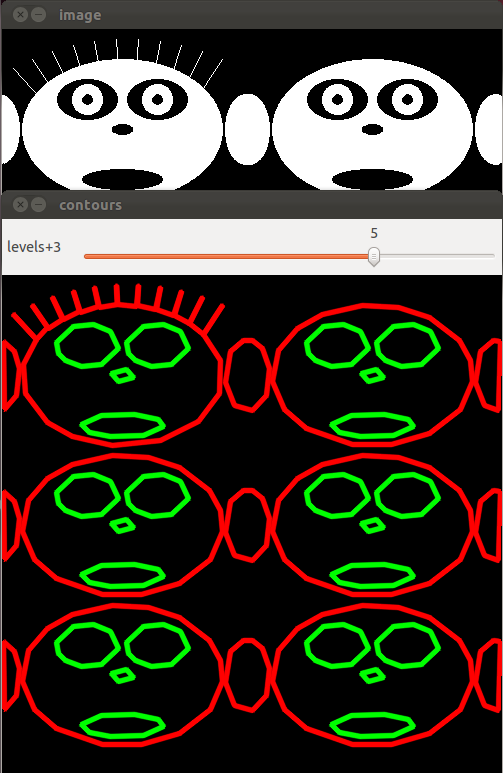
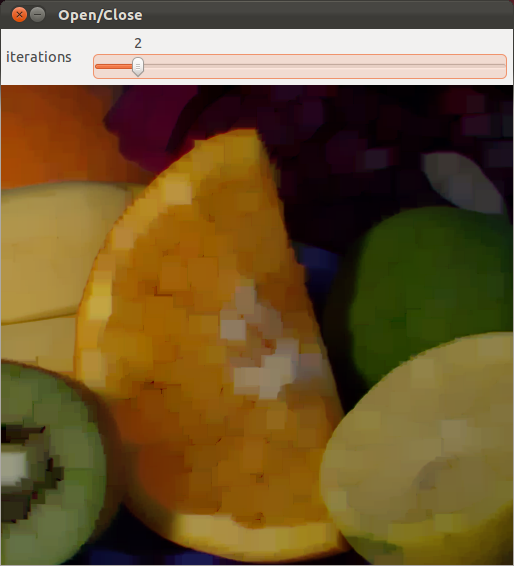
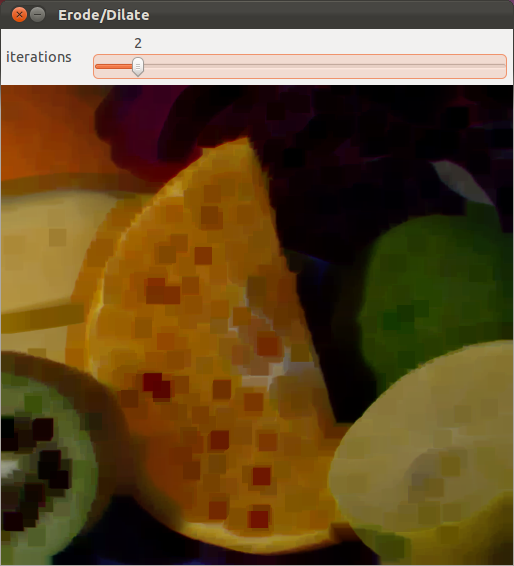
- モルフォロジー演算
#include <opencv2/imgcodecs.hpp>
#include <opencv2/highgui.hpp>
#include <opencv2/imgproc.hpp>
#include <iostream>

using namespace cv;
using namespace std;

int main( int argc, char** argv )
{
  string filename = argc > 1 ? argv[1] : "fruits.jpg";
  Mat src = imread( samples::findFile(filename), IMREAD_GRAYSCALE );
  if( src.empty() )
  {
    cout << "画像を読み込めなかった: " << filename << endl;
    return 1;
  }

  Mat element = getStructuringElement( MORPH_RECT, Size(5,5) );
  Mat opened, closed;
  morphologyEx( src, opened, MORPH_OPEN, element );  // オープニング
  morphologyEx( src, closed, MORPH_CLOSE, element ); // クロージング

  namedWindow( "opening", WINDOW_AUTOSIZE );
  imshow( "opening", opened );
  waitKey(0); // ESCキーを含む任意のキーで終了する

  namedWindow( "closing", WINDOW_AUTOSIZE );
  imshow( "closing", closed );
  waitKey(0); // ESCキーを含む任意のキーで終了する
  return 0;
}
- ハフ変換による直線の抽出
#include <opencv2/imgcodecs.hpp> #include <opencv2/highgui.hpp> #include <opencv2/imgproc.hpp> #include <iostream> using namespace cv; using namespace std; int main( int argc, char** argv ) { string filename = argc > 1 ? argv[1] : "fruits.jpg"; Mat src = imread( samples::findFile(filename), IMREAD_GRAYSCALE ); if( src.empty() ) { cout << "画像を読み込めなかった: " << filename << endl; return 1; } Mat edges; Canny( src, edges, 50, 200, 3 ); vectorlines; HoughLines( edges, lines, 1, CV_PI/180, 150 ); // ハフ変換による直線検出 Mat dst; cvtColor( edges, dst, COLOR_GRAY2BGR ); for( size_t i = 0; i < lines.size(); i++ ) { float rho = lines[i][0], theta = lines[i][1]; Point pt1, pt2; double a = cos(theta), b = sin(theta); double x0 = a*rho, y0 = b*rho; pt1.x = cvRound(x0 + 1000*(-b)); pt1.y = cvRound(y0 + 1000*(a)); pt2.x = cvRound(x0 - 1000*(-b)); pt2.y = cvRound(y0 - 1000*(a)); line( dst, pt1, pt2, Scalar(0,0,255), 2, LINE_AA ); } namedWindow( "houghlines", WINDOW_AUTOSIZE ); imshow( "houghlines", dst ); waitKey(0); // ESCキーを含む任意のキーで終了する return 0; } 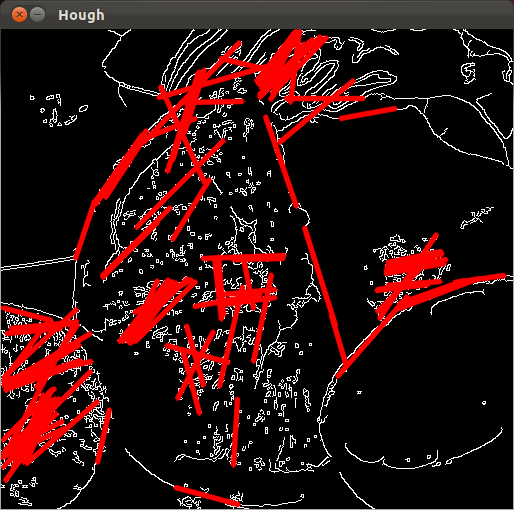
- 楕円とのフィッティング
#include <opencv2/imgcodecs.hpp> #include <opencv2/highgui.hpp> #include <opencv2/imgproc.hpp> #include <iostream> using namespace cv; using namespace std; int main( int argc, char** argv ) { string filename = argc > 1 ? argv[1] : "fruits.jpg"; Mat src = imread( samples::findFile(filename), IMREAD_GRAYSCALE ); if( src.empty() ) { cout << "画像を読み込めなかった: " << filename << endl; return 1; } Mat bin; threshold( src, bin, 128, 255, THRESH_BINARY ); vector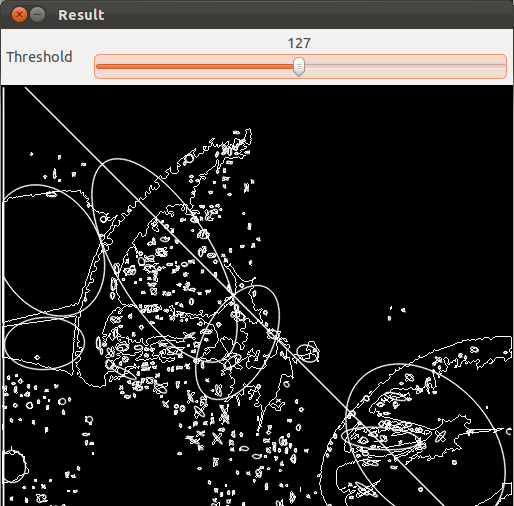
- MSER
#include <opencv2/imgcodecs.hpp> #include <opencv2/highgui.hpp> #include <opencv2/imgproc.hpp> #include <opencv2/features.hpp> #include <iostream> using namespace cv; using namespace std; int main( int argc, char** argv ) { string filename = argc > 1 ? argv[1] : "fruits.jpg"; Mat src = imread( samples::findFile(filename), IMREAD_GRAYSCALE ); if( src.empty() ) { cout << "画像を読み込めなかった: " << filename << endl; return 1; } Ptrmser = MSER::create(); vector boxes; mser->detectRegions( src, regions, boxes ); // MSER領域を検出する Mat dst; cvtColor( src, dst, COLOR_GRAY2BGR ); for( size_t i = 0; i < regions.size(); i++ ) { vector hull; convexHull( regions[i], hull ); polylines( dst, hull, true, Scalar(0,255,0), 1, LINE_AA ); } namedWindow( "mser", WINDOW_AUTOSIZE ); imshow( "mser", dst ); waitKey(0); // ESCキーを含む任意のキーで終了する return 0; } - peopledetect(人物検出)
HOGDescriptorを用いた人物検出。OpenCV 5 では objdetect モジュールの一部がcontribへ移動しているため、HOGDescriptorを使うにはopencv_contribを含めてビルドする必要がある。
#include <opencv2/imgcodecs.hpp> #include <opencv2/highgui.hpp> #include <opencv2/imgproc.hpp> #include <opencv2/objdetect.hpp> #include <iostream> using namespace cv; using namespace std; int main( int argc, char** argv ) { string filename = argc > 1 ? argv[1] : "fruits.jpg"; Mat src = imread( samples::findFile(filename), IMREAD_COLOR ); if( src.empty() ) { cout << "画像を読み込めなかった: " << filename << endl; return 1; } HOGDescriptor hog; hog.setSVMDetector( HOGDescriptor::getDefaultPeopleDetector() ); vectorfound; hog.detectMultiScale( src, found ); // 人物領域を検出する for( size_t i = 0; i < found.size(); i++ ) rectangle( src, found[i], Scalar(0,255,0), 2 ); namedWindow( "peopledetect", WINDOW_AUTOSIZE ); imshow( "peopledetect", src ); waitKey(0); // ESCキーを含む任意のキーで終了する return 0; } - find_obj(特徴点マッチング)
ORB特徴量を用いて、2枚の画像間で対応する特徴点を求める。
#include <opencv2/imgcodecs.hpp> #include <opencv2/highgui.hpp> #include <opencv2/features.hpp> #include <iostream> using namespace cv; using namespace std; int main( int argc, char** argv ) { Mat img1 = imread( samples::findFile("box.png"), IMREAD_GRAYSCALE ); Mat img2 = imread( samples::findFile("box_in_scene.png"), IMREAD_GRAYSCALE ); if( img1.empty() || img2.empty() ) { cout << "画像を読み込めなかった" << endl; return 1; } Ptrorb = ORB::create(); vector kp1, kp2; Mat desc1, desc2; orb->detectAndCompute( img1, noArray(), kp1, desc1 ); // 特徴点と記述子を計算する orb->detectAndCompute( img2, noArray(), kp2, desc2 ); BFMatcher matcher( NORM_HAMMING ); vector matches; matcher.match( desc1, desc2, matches ); // 対応点を求める Mat dst; drawMatches( img1, kp1, img2, kp2, matches, dst ); namedWindow( "find_obj", WINDOW_AUTOSIZE ); imshow( "find_obj", dst ); waitKey(0); // ESCキーを含む任意のキーで終了する return 0; }
◆ Linux でのビルド手順例(各プログラムをそれぞれ hoge.cpp として保存した場合)
g++ -o a.out hoge.cpp -std=c++17 `pkg-config --cflags --libs opencv5`