![[kaneko lab.]](https://www.kkaneko.jp/info/logo_png.png)
一定間隔での処理の繰り返し
【概要】
Python の標準ライブラリ(time,threading)を用いて,一定間隔で処理を繰り返す方法を解説する.標準ライブラリだけで動作するため,追加ライブラリのインストールは不要である.
- 指定した秒数(既定値:5秒)ごとに処理を繰り返す.
- 5秒以内に処理が終わらなかったときは,その処理の完了を待ったうえで,次の5秒の区切りまで待ってから次の処理を始める.
単一スレッドでの定期実行の基本例と,別スレッドと組み合わせた応用例を2種類示す.
謝辞:次のWebページに記載のソースコードを変更の上,掲載している.
https://qiita.com/miminashi/items/50a4f0906ab8f18b105d
【目次】
- 第1章 前準備
- 第2章 実行手順
- 第3章 一定間隔での定期実行の仕組みと使い方
- 第4章 演習1:基本例(単一スレッドでの定期実行)
- 第5章 演習2:定期実行と別スレッドの並行動作
- 第6章 演習3:別の書き方による同一機能の実装
- 第7章 まとめ
【関連する外部ページ】
https://qiita.com/miminashi/items/50a4f0906ab8f18b105d
【サイト内の関連情報】
第1章 前準備
Python 3.12 のインストール
Pythonのインストールを行い、Pythonのプログラムを実行する環境を整える。扱う環境は、Windows搭載パソコンである。金子研究室では、Python 3.12.10を推奨する。
[Windows での Python 3.12 のインストール手順を見るには、ここをクリック]
Windows での Python 3.12 のインストール
以下のいずれかの方法でPython 3.12をインストールする。Pythonがインストール済みの場合、この手順は不要である。
方法 1:winget によるインストール
【インストールコマンドの実行方法】
管理者権限でコマンドプロンプトを起動する(手順:Windowsキーまたはスタートメニュー → cmd と入力 → 右クリック → 「管理者として実行」)。そして、コマンド全体をコマンドプロンプトにコピー&ペーストする。
--scope machine を指定することで、システム全体(全ユーザー向け)にインストールされる。このオプションの実行には管理者権限が必要である。インストール完了後、コマンドプロンプトを再起動するとPATHが反映される。
REM Python 3.12 をシステム領域にインストール
winget install --id Python.Python.3.12 -e --scope machine --silent --accept-source-agreements --accept-package-agreements --override "/quiet InstallAllUsers=1 PrependPath=1 Include_test=0 Include_pip=1 Include_launcher=1 InstallLauncherAllUsers=1 TargetDir=\"C:\Program Files\Python312\""
if not "%ERRORLEVEL%"=="0" ( color 0c & echo Python 3.12 のインストールに失敗しました & ping 127.0.0.1 -n 6 >nul & color )

REM Python と Scripts を PATH 先頭に追加
powershell -NoProfile -Command "$p='C:\Program Files\Python312'; $s=\"$p\Scripts\"; if(Test-Path $p){$k=[Microsoft.Win32.Registry]::LocalMachine.OpenSubKey('SYSTEM\CurrentControlSet\Control\Session Manager\Environment',$true); $c=$k.GetValue('Path','',[Microsoft.Win32.RegistryValueOptions]::DoNotExpandEnvironmentNames); $t=$k.GetValueKind('Path'); $new=$c; if((';'+$new+';') -notlike \"*;$p;*\"){$new=$p+';'+$new}; if((';'+$new+';') -notlike \"*;$s;*\"){$new=$s+';'+$new}; if($new -ne $c){$k.SetValue('Path',$new,$t)}; $k.Close()}"

REM 現在のセッションにも反映(システムPATHを再取得して連結)
for /f "usebackq tokens=2,*" %A in (`reg query "HKLM\SYSTEM\CurrentControlSet\Control\Session Manager\Environment" /v Path`) do set "PATH=%B"

REM pip / wheel の更新
python -m pip install --no-user -U pip wheel
if not "%ERRORLEVEL%"=="0" ( color 0c & echo pip / wheel の更新に失敗しました & ping 127.0.0.1 -n 6 >nul & color )
方法 2:インストーラーによるインストール
- Python公式サイト(https://www.python.org/downloads/)にアクセスし、「Download Python 3.x.x」ボタンからWindows用インストーラーをダウンロードする。
- ダウンロードしたインストーラーを実行する。
- 初期画面の下部に表示される「Add python.exe to PATH」にチェックを入れてから「Customize installation」を選択する。このチェックを入れ忘れると、コマンドプロンプトから
pythonコマンドを実行できない。 - 「Install Python 3.xx for all users」にチェックを入れ、「Install」をクリックする。
インストールの確認
コマンドプロンプトで以下を実行する。
python --versionバージョン番号(例:Python 3.12.x)が表示されればインストール成功である。「'python' は、内部コマンドまたは外部コマンドとして認識されていません。」と表示される場合は、インストールが正常に完了していない。
Python の開発環境 Visual Studio Code のインストールと Python 用の設定
Python の開発環境Visual Studio Code(プログラムを編集するソフトウェア。以下、VS Code)を整える。
[Windows での Visual Studio Code のインストールと Python 用の設定手順を見るには、ここをクリック]
Windows での Visual Studio Code のインストールと Python 用の設定手順
1. VS Code と拡張機能のインストール
以下のコマンドにより,既存の VS Code を削除し,全ユーザー共有の設定で再インストールしたうえで,拡張機能(VS Code に機能を追加するソフトウェア)をまとめて導入する.
【インストールコマンドの実行方法】
管理者権限でコマンドプロンプトを起動する(手順:Windows キーまたはスタートメニュー → cmd と入力 → 右クリック → 「管理者として実行」)。そして,コマンド全体をコマンドプロンプトにコピー&ペーストする。
インストールコマンド
REM ============================================================
REM Microsoft Visual Studio Code
REM ============================================================
REM Build Tools + Desktop development with C++(VCTools)+ 追加コンポーネント(一括)
REM 未インストール時: winget で新規インストール
REM インストール済み時: setup.exe modify でコンポーネント追加(バージョンは変更しない)
winget list --id Microsoft.VisualStudio.BuildTools 2>nul | findstr /i "BuildTools" >nul 2>&1
if %ERRORLEVEL% EQU 0 (
    for /f "usebackq delims=" %P in (`"C:\Program Files (x86)\Microsoft Visual Studio\Installer\vswhere.exe" -products Microsoft.VisualStudio.Product.BuildTools -property installationPath`) do start /wait "" "C:\Program Files (x86)\Microsoft Visual Studio\Installer\setup.exe" modify --installPath "%P" --add Microsoft.VisualStudio.Workload.VCTools --add Microsoft.VisualStudio.Workload.MSBuildTools --add Microsoft.VisualStudio.Component.VC.CMake.Project --add Microsoft.VisualStudio.Component.VC.Llvm.Clang --add Microsoft.VisualStudio.Component.VC.Llvm.ClangToolset --add Microsoft.VisualStudio.Component.Windows11SDK.26100 --add Microsoft.VisualStudio.Component.VC.v143.x86.x64 --includeRecommended --quiet --norestart --nocache
    if not "%ERRORLEVEL%"=="0" ( color 0c & echo Build Tools のコンポーネント追加に失敗しました & ping 127.0.0.1 -n 6 >nul & color )
) else (
    winget install --scope machine --id Microsoft.VisualStudio.BuildTools -e --silent --disable-interactivity --force --accept-source-agreements --accept-package-agreements --override "--quiet --wait --norestart --nocache --add Microsoft.VisualStudio.Workload.VCTools --includeRecommended --add Microsoft.VisualStudio.Workload.MSBuildTools --add Microsoft.VisualStudio.Component.VC.CMake.Project --add Microsoft.VisualStudio.Component.VC.Llvm.Clang --add Microsoft.VisualStudio.Component.VC.Llvm.ClangToolset --add Microsoft.VisualStudio.Component.Windows11SDK.26100 --add Microsoft.VisualStudio.Component.VC.v143.x86.x64"
    if not "%ERRORLEVEL%"=="0" ( color 0c & echo Build Tools のインストールに失敗しました & ping 127.0.0.1 -n 6 >nul & color )
)

REM 全ユーザー共有の拡張機能フォルダ
if not exist "C:\ProgramData\vscode-extensions" mkdir "C:\ProgramData\vscode-extensions"
icacls "C:\ProgramData\vscode-extensions" /grant "Everyone:(OI)(CI)M" /T

REM スタートメニューのショートカットを --extensions-dir 付きで再作成
if exist "C:\ProgramData\Microsoft\Windows\Start Menu\Programs\Visual Studio Code" rmdir /s /q "C:\ProgramData\Microsoft\Windows\Start Menu\Programs\Visual Studio Code"
if exist "C:\ProgramData\Microsoft\Windows\Start Menu\Programs\Visual Studio Code.lnk" del "C:\ProgramData\Microsoft\Windows\Start Menu\Programs\Visual Studio Code.lnk"
powershell -NoProfile -Command "$s=New-Object -ComObject WScript.Shell; $lnk=$s.CreateShortcut('C:\ProgramData\Microsoft\Windows\Start Menu\Programs\Visual Studio Code.lnk'); $lnk.TargetPath='C:\Program Files\Microsoft VS Code\Code.exe'; $lnk.Arguments='--extensions-dir \"C:\ProgramData\vscode-extensions\"'; $lnk.Save()"
REM ショートカットの検証
powershell -NoProfile -Command "$s=New-Object -ComObject WScript.Shell; $lnk=$s.CreateShortcut('C:\ProgramData\Microsoft\Windows\Start Menu\Programs\Visual Studio Code.lnk'); Write-Host 'TargetPath:' $lnk.TargetPath; Write-Host 'Arguments:' $lnk.Arguments"

REM ファイル / フォルダ右クリックの「Code で開く」を登録
reg add "HKLM\SOFTWARE\Classes\*\shell\VSCode\command" /ve /d "\"C:\Program Files\Microsoft VS Code\Code.exe\" --extensions-dir \"C:\ProgramData\vscode-extensions\" \"%1\"" /f
reg add "HKLM\SOFTWARE\Classes\Directory\shell\VSCode\command" /ve /d "\"C:\Program Files\Microsoft VS Code\Code.exe\" --extensions-dir \"C:\ProgramData\vscode-extensions\" \"%1\"" /f
reg add "HKLM\SOFTWARE\Classes\Directory\Background\shell\VSCode\command" /ve /d "\"C:\Program Files\Microsoft VS Code\Code.exe\" --extensions-dir \"C:\ProgramData\vscode-extensions\" \"%V\"" /f

REM --extensions-dir 付きで起動する code.cmd ラッパを作成
REM (%* を echo で書くと対話的 cmd で失われるため、PowerShell で [char]37+'*' を書き出す)
powershell -NoProfile -Command "$pct=[char]37; $q=[char]34; $c='@echo off'+[char]13+[char]10+$q+'C:\Program Files\Microsoft VS Code\bin\code.cmd'+$q+' --extensions-dir '+$q+'C:\ProgramData\vscode-extensions'+$q+' '+$pct+'*'+[char]13+[char]10; [IO.File]::WriteAllText('C:\ProgramData\vscode-extensions\vscode.cmd',$c,[Text.Encoding]::ASCII)"

REM 拡張機能のインストール
set "CODE=C:\Program Files\Microsoft VS Code\bin\code.cmd"
"%CODE%" --extensions-dir "C:\ProgramData\vscode-extensions" --uninstall-extension GitHub.copilot
"%CODE%" --extensions-dir "C:\ProgramData\vscode-extensions" --uninstall-extension GitHub.copilot-chat
"%CODE%" --extensions-dir "C:\ProgramData\vscode-extensions" --install-extension ms-python.python
"%CODE%" --extensions-dir "C:\ProgramData\vscode-extensions" --install-extension ms-python.vscode-pylance
"%CODE%" --extensions-dir "C:\ProgramData\vscode-extensions" --install-extension ms-python.debugpy
"%CODE%" --extensions-dir "C:\ProgramData\vscode-extensions" --install-extension MS-CEINTL.vscode-language-pack-ja
"%CODE%" --extensions-dir "C:\ProgramData\vscode-extensions" --install-extension saoudrizwan.claude-dev
"%CODE%" --extensions-dir "C:\ProgramData\vscode-extensions" --install-extension rust-lang.rust-analyzer
"%CODE%" --extensions-dir "C:\ProgramData\vscode-extensions" --install-extension tamasfe.even-better-toml
"%CODE%" --extensions-dir "C:\ProgramData\vscode-extensions" --install-extension anthropic.claude-code
"%CODE%" --extensions-dir "C:\ProgramData\vscode-extensions" --install-extension almenon.arepl
"%CODE%" --extensions-dir "C:\ProgramData\vscode-extensions" --list-extensions --show-versions

REM settings.json を作成(自動更新オフ、Python、Claude Code 設定)
if not exist "%APPDATA%\Code\User" mkdir "%APPDATA%\Code\User"
python -c "import json,os;data={'update.mode':'none','update.enableWindowsBackgroundUpdates':False,'extensions.autoUpdate':False,'python.defaultInterpreterPath':r'C:\Program Files\Python312\python.exe','claudeCode.environmentVariables':[{'name':'ANTHROPIC_API_KEY','value':'not-needed'},{'name':'ANTHROPIC_AUTH_TOKEN','value':'ollama'},{'name':'ANTHROPIC_BASE_URL','value':'http://localhost:11434'},{'name':'ANTHROPIC_MODEL','value':'glm-4.7-flash'},{'name':'CLAUDE_CODE_DISABLE_NONESSENTIAL_TRAFFIC','value':'1'}]};p=os.path.join(os.environ['APPDATA'],'Code','User','settings.json');open(p,'w',encoding='utf-8').write(json.dumps(data,indent=4));print('Done:',p)"

REM 自動更新の抑止ポリシー(settings.json に加えて、レジストリ側でも明示的にオフ)
reg add "HKLM\SOFTWARE\Policies\Microsoft\VSCode" /v "UpdateMode" /t REG_SZ /d "none" /f
echo === セットアップ完了 ===
2. Python インタプリタの選択
同一マシンに複数の Python がインストールされている場合,VS Code で使用する Python 本体(インタプリタ:Python プログラムを解釈・実行するソフトウェア)を選択する必要がある.
- コマンドパレット(コマンド名で機能を呼び出す VS Code の入力欄)を開く(
Ctrl+Shift+P) Python: Select Interpreterと入力する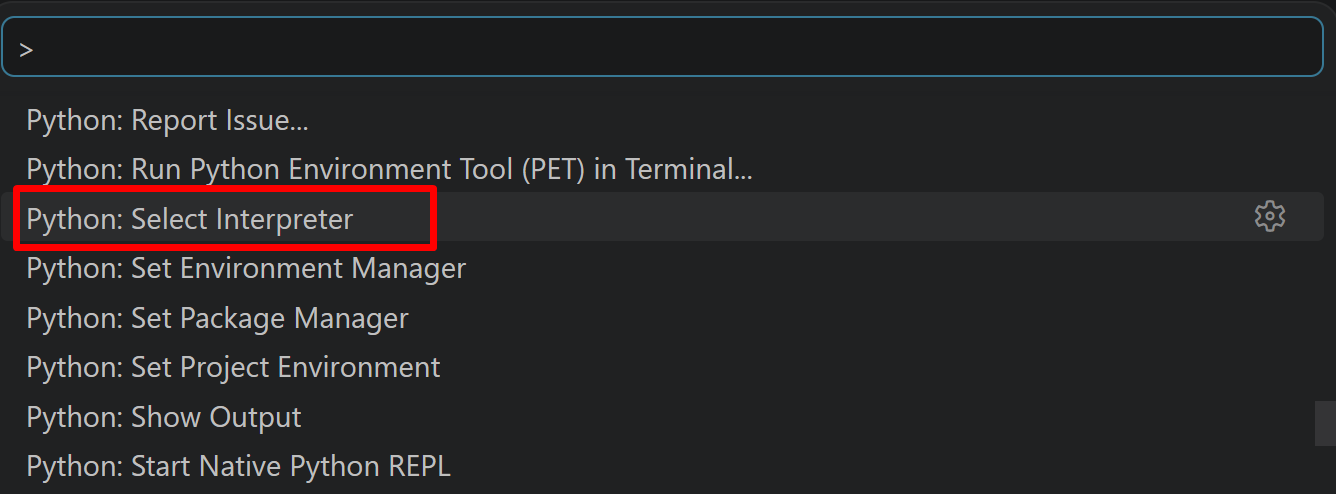
- 表示される一覧から,使用する Python(例:
C:\Program Files\Python312\python.exe)を選択する.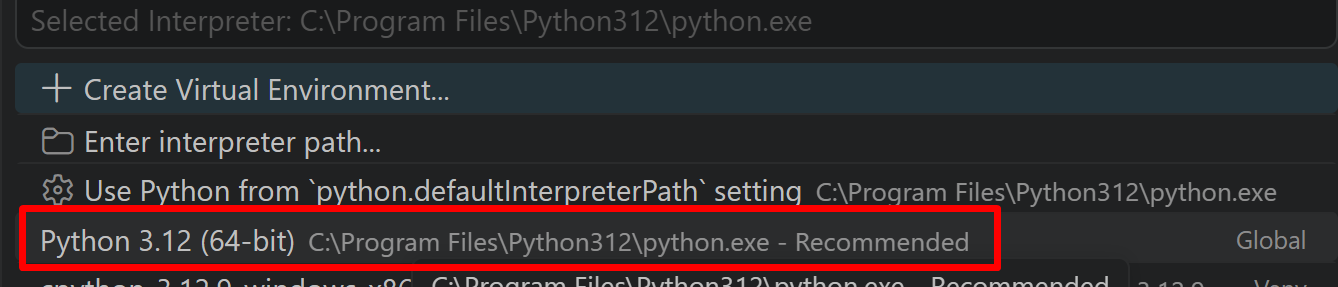
Python プログラム実行手順
[Windows での Python プログラム実行手順を見るには、ここをクリック]
Windows での Python 実行手順(Visual Studio Codeを使用)
プログラムファイルの作成と保存
- 左サイドバーの「エクスプローラー」アイコン(
Ctrl+Shift+E)をクリックする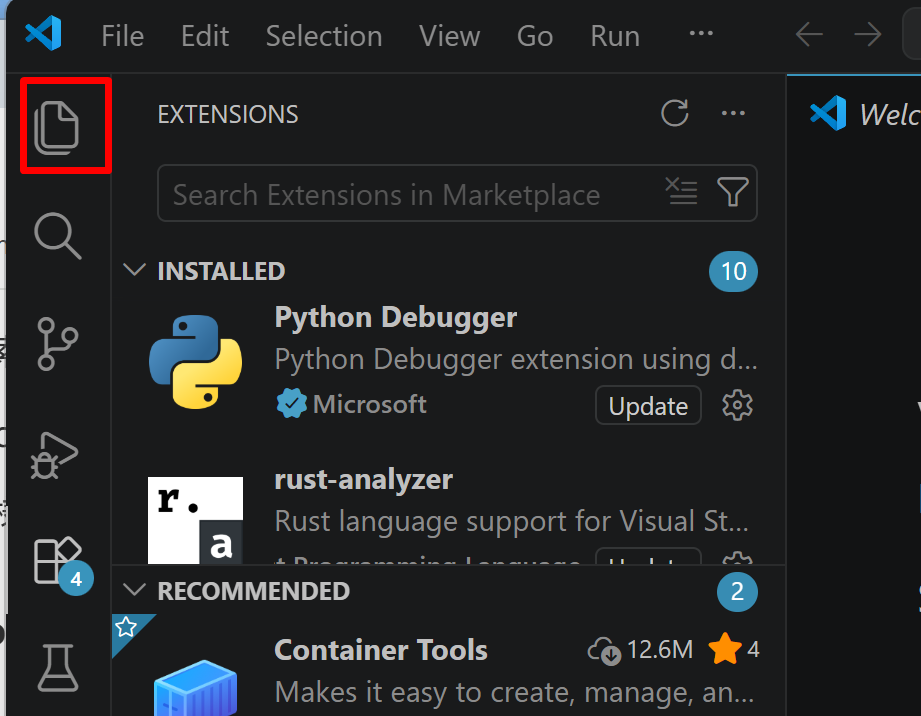
- 「NO FOLDER OPENED」(作業対象フォルダが未選択の状態)と表示される場合は,「Open Folder」をクリックし,プログラムを保存するフォルダを選択する
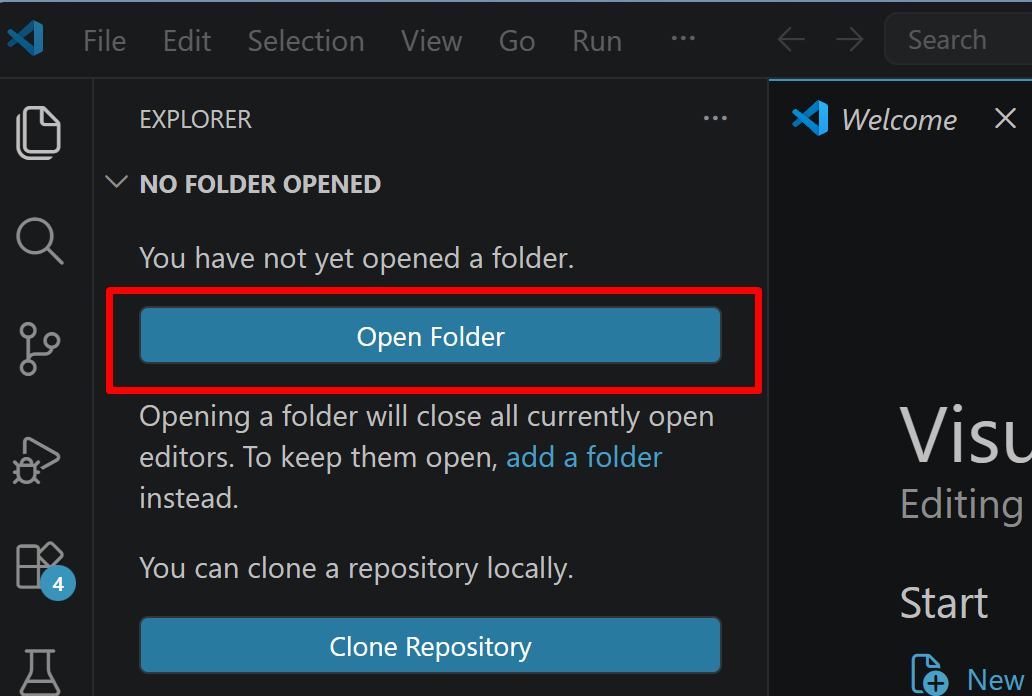
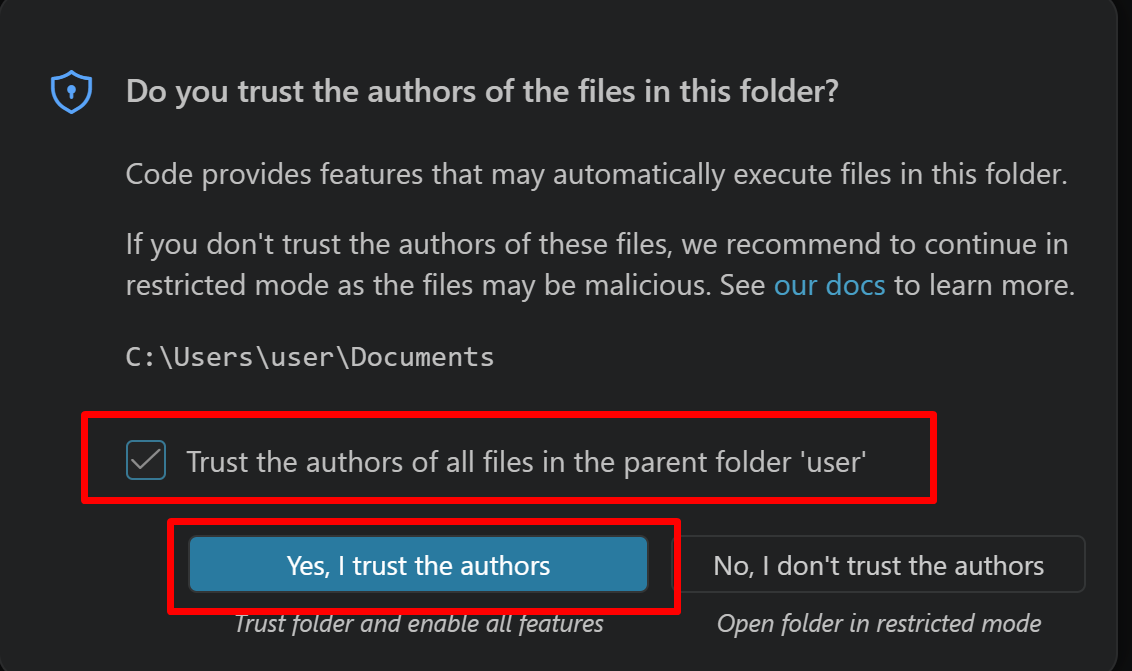
続いて「フォルダを信用するか」を確認する画面(フォルダ内のコードを実行してよいか確認する VS Code の仕組み)が表示されるので,チェックして Yes を選択する
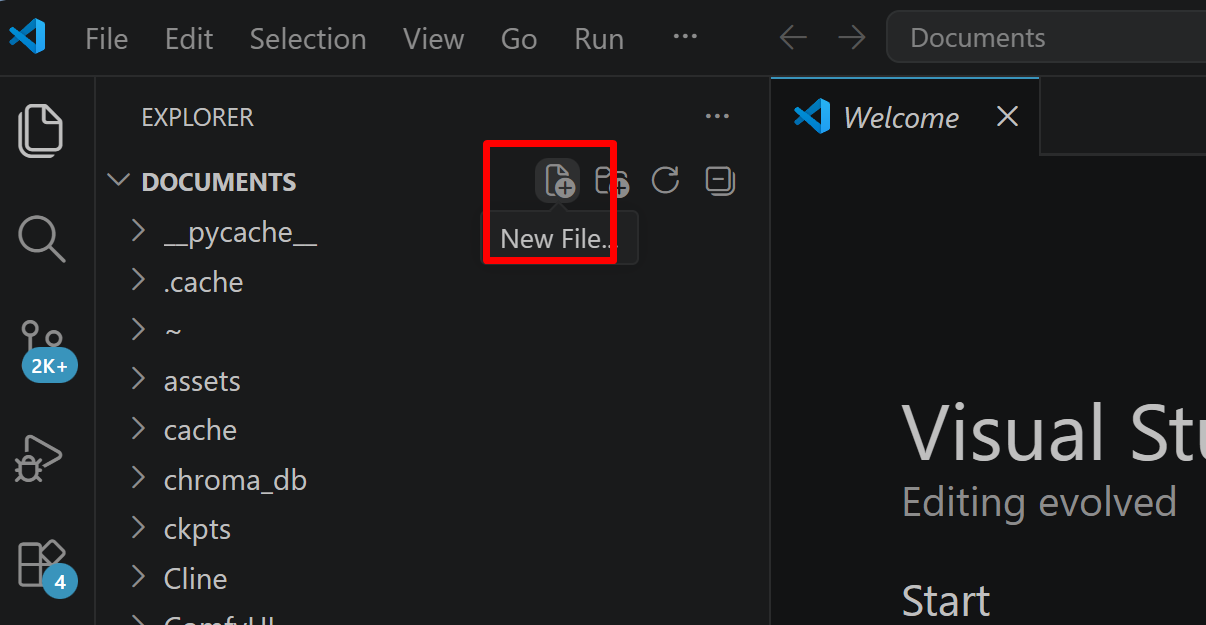
- フォルダ名の右側に表示される「新しいファイル」アイコンをクリックする
- ファイル名(例:
aitask.py.ファイル名は何でも良い)を入力しEnterを押す.拡張子は.py(Python ファイルを示す拡張子)とする
- 実行したいコードを選択し,
Ctrl+Cでコピーする.VS Code のエディタ領域にCtrl+Vで貼り付ける Ctrl+Sで保存する
プログラムの実行
- エディタ右上の三角形「▷」アイコン(Run Python File:現在開いている Python ファイルを実行するボタン)をクリックする.または,エディタ上で右クリックし「ターミナルで Python ファイルを実行」を選択する
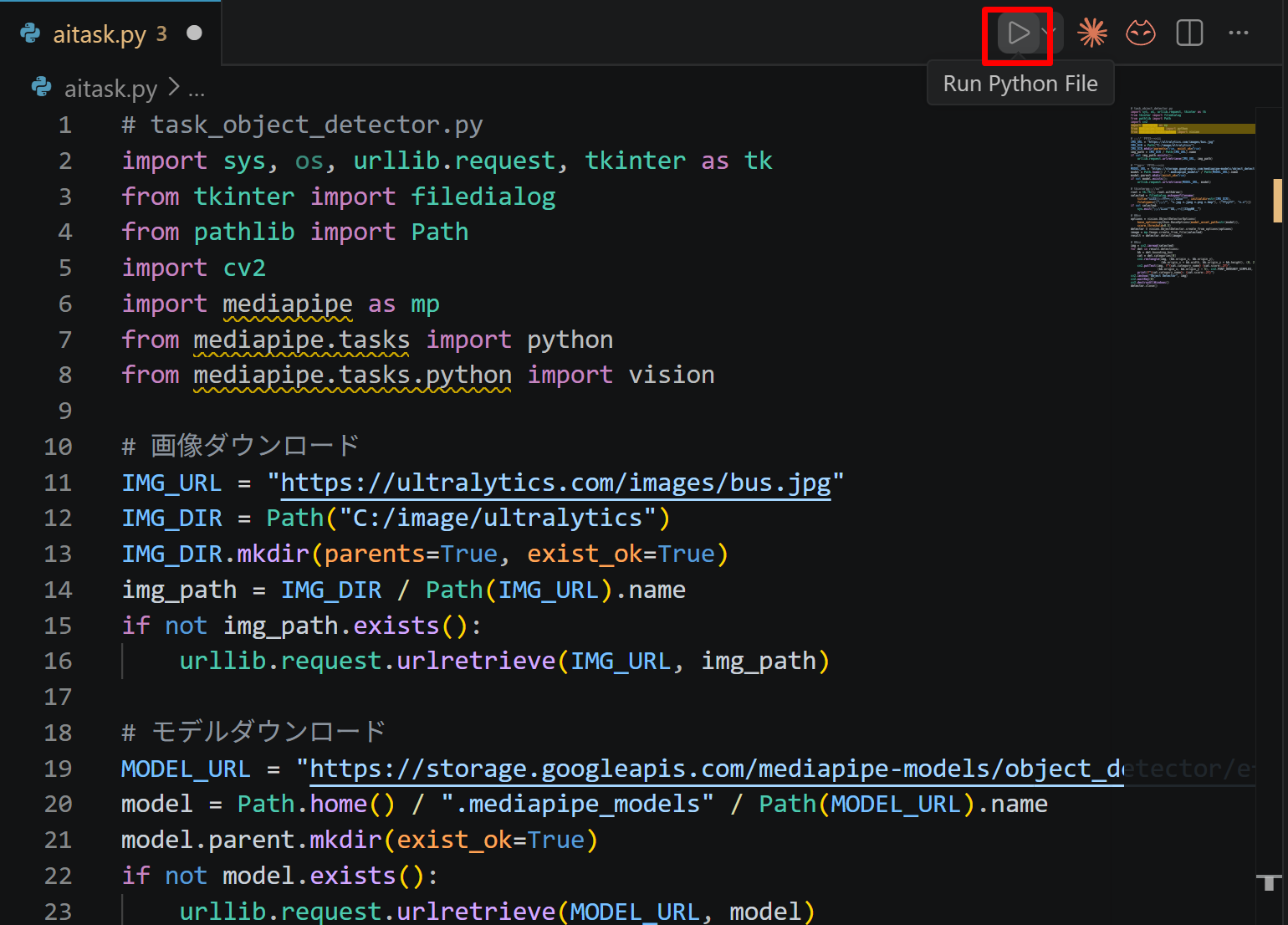
- VS Code 下部のターミナル(コマンドの入出力を表示する画面)に,実行結果(
print関数の出力等)が表示される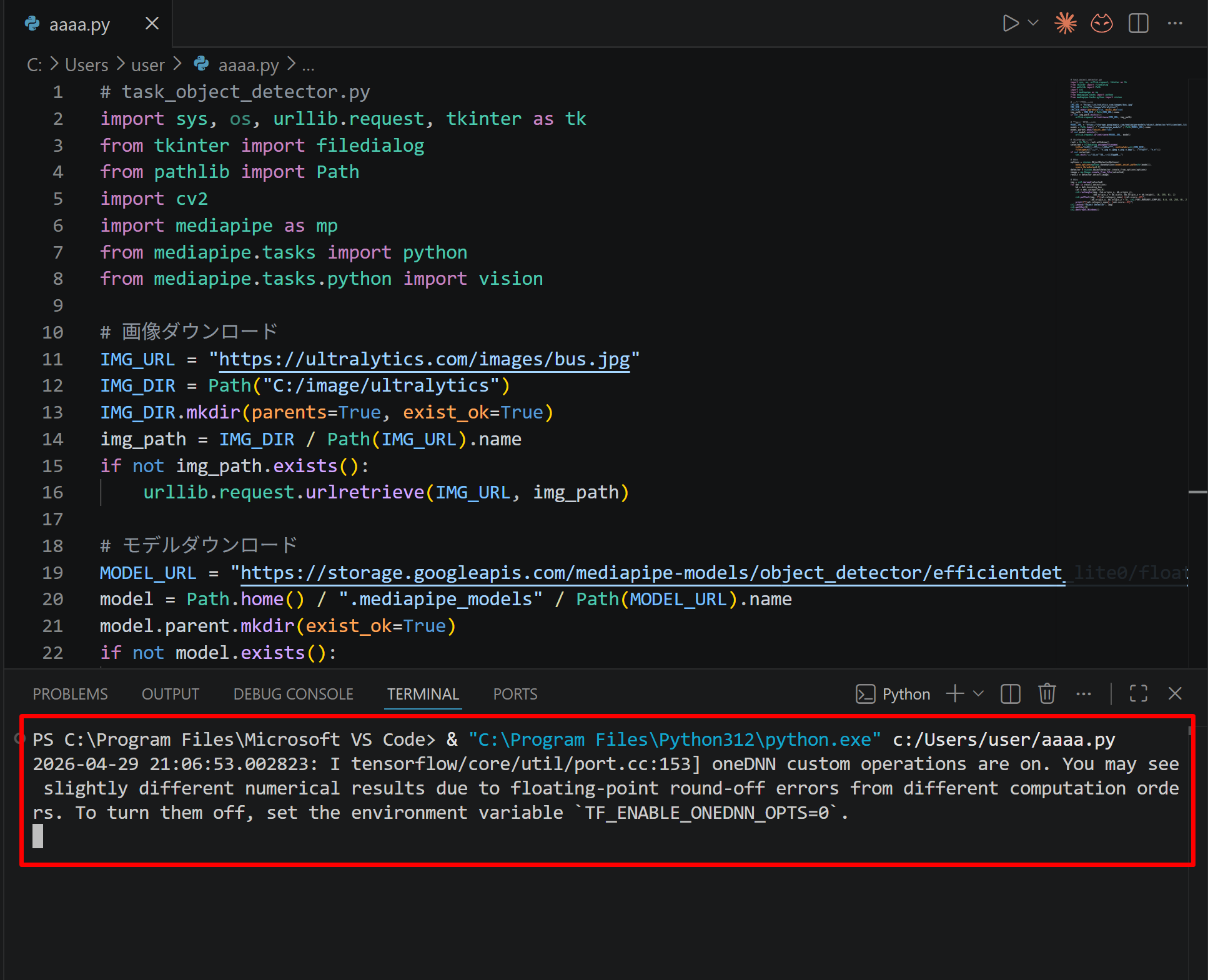
- tkinter(Python 標準の GUI ライブラリ)のファイル選択ダイアログを使うプログラムを実行した場合は,ダイアログが開くので対象画像を選択する
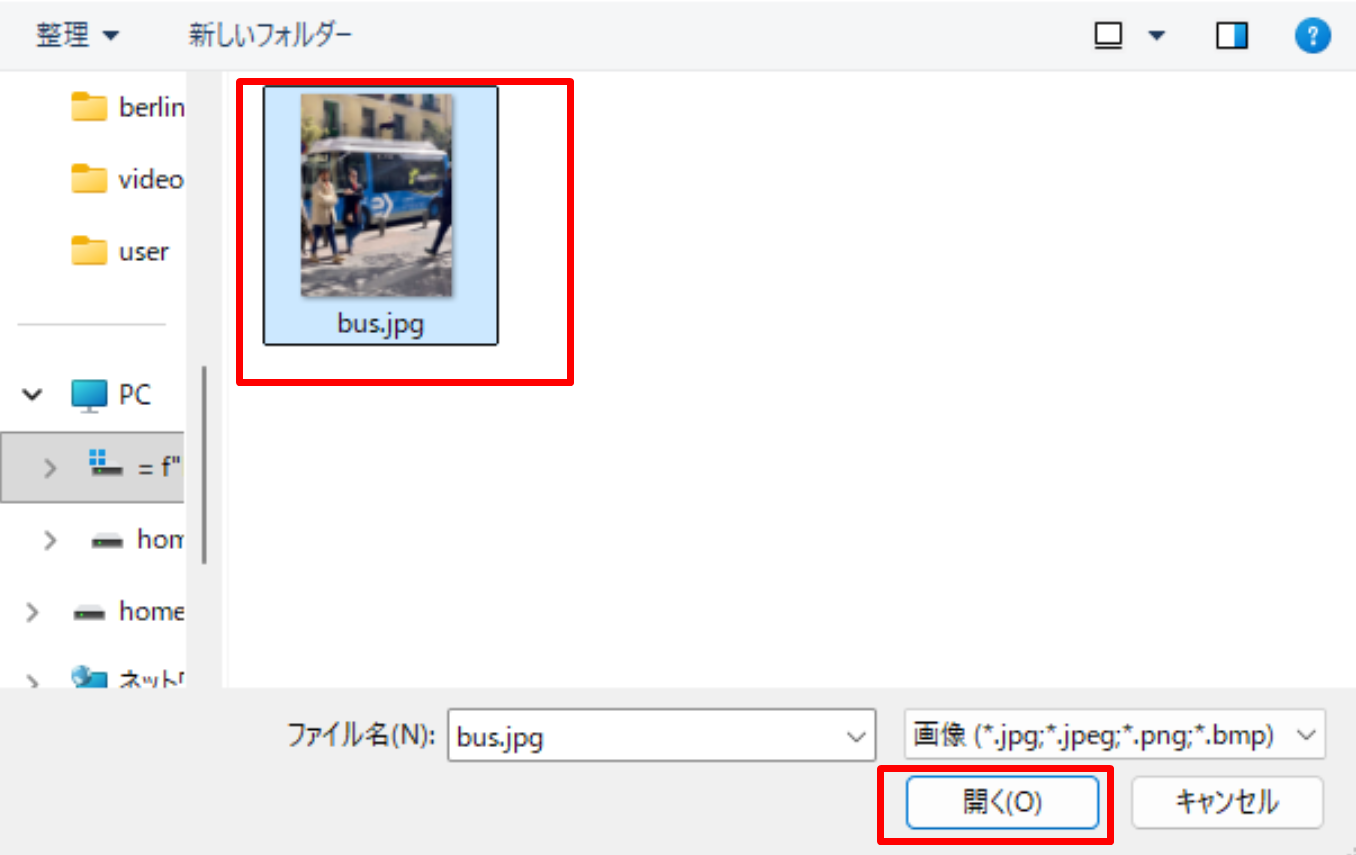
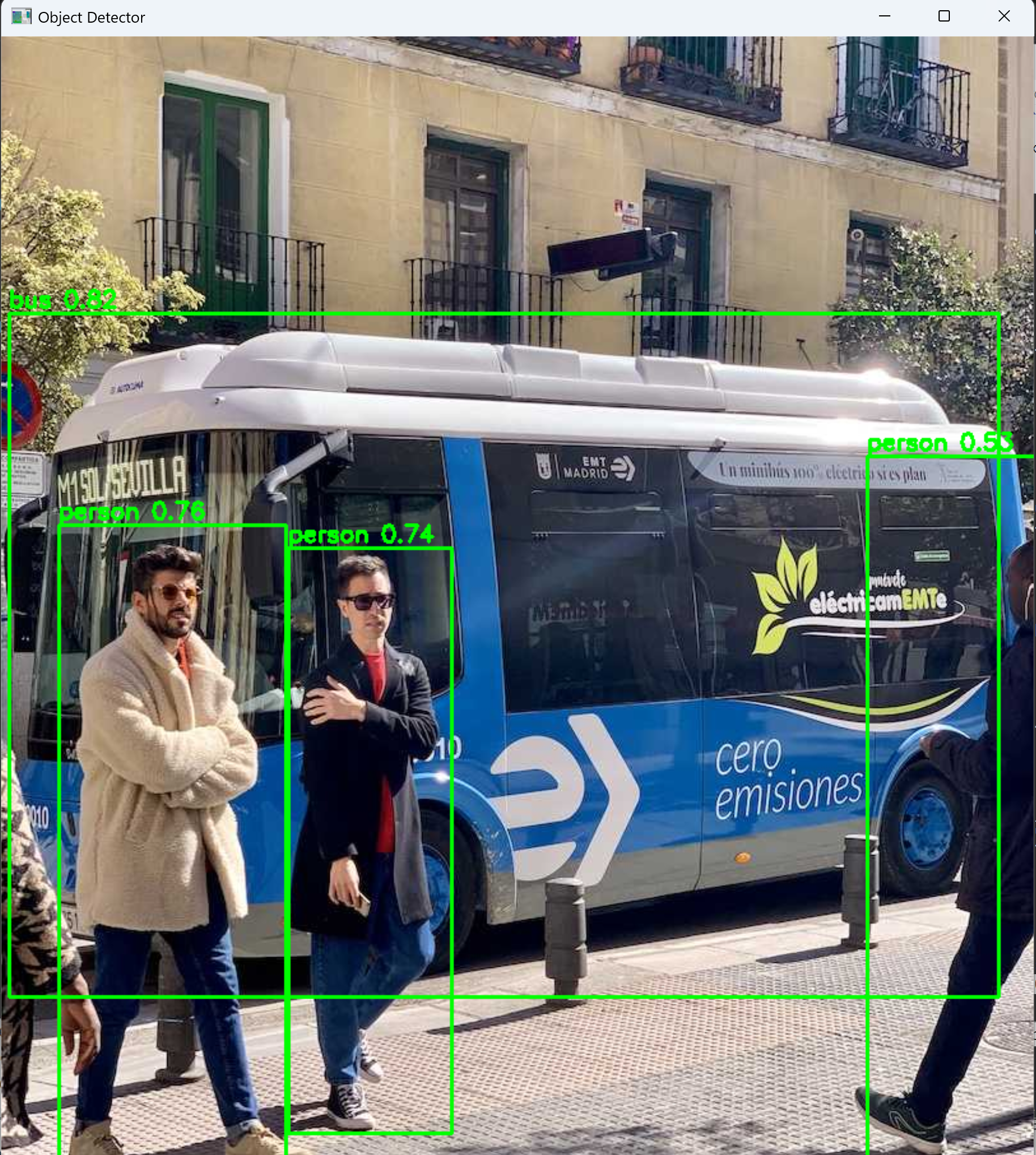
- VS Code 下部のターミナルで実行結果を確認する.OpenCV ウィンドウ(OpenCV が画像を表示するために開く専用ウィンドウ)が開いた場合はそちらも確認する.OpenCV ウィンドウは,マウスクリックでウィンドウをアクティブ(操作対象の状態)にしてからキーを押すと終了する

本プログラムは Python 標準ライブラリ(time,threading)のみで動作するため,追加ライブラリのインストールは不要である.
第2章 実行手順
手順:コードを実行する(メモ帳を用いる場合は a.py のようなファイル名で保存して実行)。
動作確認チェックリスト
| 確認項目 | 期待される結果 |
|---|---|
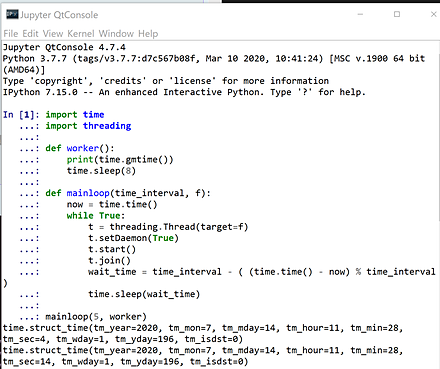
| プログラム起動後,5秒ごとの定期実行 | 約5秒間隔で現在時刻(UTC)が繰り返し表示される |
| 処理時間が5秒を超える場合(worker 内の sleep(8) による模擬) | 処理完了後,次の5秒の区切りまで待ってから次の処理が開始される |
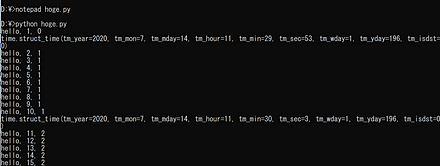
| 別スレッドとの並行動作(演習2・演習3) | 1秒ごとに「hello, カウンタ値, カウンタ値」が表示され,5秒ごとに時刻が表示される |
| プログラムの停止 | Ctrl+C で終了できる |
第3章 一定間隔での定期実行の仕組みと使い方
本プログラムは,指定した秒数(既定値:5秒)ごとに処理を繰り返す仕組みを,Python の time モジュールと threading モジュールで実装したものである.
- 指定した秒数(既定値:5秒)ごとに処理を繰り返す.
- 5秒以内に処理が終わらなかったときは,その処理の完了を待ったうえで,次の5秒の区切りまで待ってから次の処理を始める.
本資料には3つの演習を掲載している.
- 演習1(基本例):単一の定期実行スレッドで構成される.
worker関数が5秒ごとに呼び出され,現在時刻(UTC)を表示する. - 演習2(応用例1):定期実行スレッドに加え,1秒ごとにカウンタ値を表示し続ける別スレッド(
another関数)を同時に動作させる.mainloop関数の引数として定期実行関数と常駐関数の両方を渡す構成である. - 演習3(応用例2):演習2と同じ機能を別の書き方で実装した例である.
mainloop関数自体をスレッドとして起動し,メインスレッドでanother関数を直接実行する.
いずれのコードも,worker 関数内の time.sleep(8) により処理に8秒かかる状況を模擬している(実際の用途では,この部分を定期的に実行したい処理に置き換える).
定期実行の間隔を変更するには,mainloop の呼び出し時に渡す引数(既定値:5)を変更する.
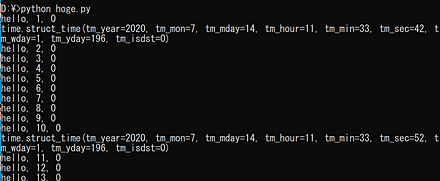
Python プログラムの実行
第4章 演習1:基本例(単一スレッドでの定期実行)
テーマ名:一定間隔での定期実行
手順:次のコードを実行する(メモ帳を用いる場合は a.py のようなファイル名で保存して実行).約5秒間隔で現在時刻(UTC)が繰り返し表示されることを確認する.停止するには Ctrl+C を押す.
import time
import threading

def worker():
    print(time.strftime("%Y-%m-%d %H:%M:%S", time.gmtime()))
    time.sleep(8)

def mainloop(interval, f):
    base = time.time()
    while True:
        t = threading.Thread(target=f, daemon=True)
        t.start()
        t.join()
        time.sleep(interval - (time.time() - base) % interval)

mainloop(5, worker)
ヒント:worker 内の time.sleep(8) は,処理に8秒かかる状況を模擬したものである.処理時間が間隔(5秒)を超えている点に注目する.
考察ポイント:処理に8秒かかるのに,表示の間隔が何秒ごとになるかを読み取る.time.time() の基準時刻と剰余演算による待機時間の計算が,間隔をどのように保っているかを考える.
第5章 演習2:定期実行と別スレッドの並行動作
テーマ名:定期実行と別スレッドの並行動作
手順:次のコードを実行する(メモ帳を用いる場合は a.py のようなファイル名で保存して実行).1秒ごとに「hello, カウンタ値, カウンタ値」が表示され,5秒ごとに時刻が表示されることを確認する.停止するには Ctrl+C を押す.
import time
import threading

c = 0
c2 = 0

def another():
    """ずっと動き続けるスレッド"""
    global c, c2
    while True:
        c += 1
        print(f"hello, {c}, {c2}")
        time.sleep(1)

def worker():
    """定期的に繰り返すスレッド"""
    global c2
    c2 += 1
    print(time.strftime("%Y-%m-%d %H:%M:%S", time.gmtime()))
    time.sleep(8)

def mainloop(interval, f, bg):
    base = time.time()
    threading.Thread(target=bg, daemon=True).start()
    while True:
        t = threading.Thread(target=f, daemon=True)
        t.start()
        t.join()
        time.sleep(interval - (time.time() - base) % interval)

if __name__ == '__main__':
    mainloop(5, worker, another)
ヒント:常駐スレッド(another)と定期実行スレッド(worker)が同時に動作する.mainloop の引数として定期実行関数と常駐関数の両方を渡している点に注目する.
考察ポイント:1秒ごとの表示と5秒ごとの表示が,どのように混ざって出力されるかを読み取る.2つのカウンタ値(c,c2)の増え方の違いを観察する.
第6章 演習3:別の書き方による同一機能の実装
テーマ名:別の書き方による同一機能の実装
手順:次のコードを実行する(メモ帳を用いる場合は a.py のようなファイル名で保存して実行).演習2と同じ出力になることを確認する.停止するには Ctrl+C を押す.
import time
import threading

c = 0
c2 = 0

def another():
    """ずっと動き続けるスレッド"""
    global c, c2
    while True:
        c += 1
        print(f"hello, {c}, {c2}")
        time.sleep(1)

def worker():
    """定期的に繰り返すスレッド"""
    global c2
    c2 += 1
    print(time.strftime("%Y-%m-%d %H:%M:%S", time.gmtime()))
    time.sleep(8)

def mainloop():
    interval = 5
    base = time.time()
    while True:
        t = threading.Thread(target=worker, daemon=True)
        t.start()
        t.join()
        time.sleep(interval - (time.time() - base) % interval)

if __name__ == '__main__':
    threading.Thread(target=mainloop, daemon=True).start()
    another()
ヒント:演習2では mainloop の引数として常駐関数を渡したが,ここでは mainloop 自体をスレッドとして起動し,メインスレッドで another を直接実行している.スレッドの起動のしかたの違いに注目する.
考察ポイント:演習2と出力が同じになることを確かめ,同じ機能でも実装の構成が複数あることを読み取る.どちらの構成がメインスレッドで何を実行しているかを比べる.
第7章 まとめ
- 一定間隔での定期実行:
time.time()で基準時刻を記録し,処理完了後に次の実行タイミングまでの待機時間を計算することで,処理の所要時間に関わらず一定間隔での繰り返しを実現している. - スレッドによる並行処理:
threading.Threadを用いて,定期的に繰り返す処理と常駐する処理を並行して動作させることができる.スレッドはdaemon=Trueを指定してデーモンスレッド(残っているスレッドがデーモンスレッドだけになると,プログラム全体が終了する種類のスレッド)とする. - 処理時間超過時の挙動:処理が指定間隔(5秒)以内に終わらなかったときは,その処理の完了を待ったうえで,次の5秒の区切りまで待つ.
t.join()により処理の完了を待ってから次の待機時間を計算するためである. - 2つの実装パターン:演習2では
mainloop関数の引数として常駐関数を渡し,演習3ではmainloop自体をスレッドとして起動しメインスレッドで常駐関数を直接実行する.いずれも同じ機能を実現する. - 時刻表示のフォーマット:
time.strftimeとtime.gmtime()を組み合わせ,現在時刻を UTC で読みやすい形式(%Y-%m-%d %H:%M:%S)で表示している.