![[kaneko lab.]](https://www.kkaneko.jp/info/logo_png.png)
Dlib C++ Library に付属のサンプルプログラムで,カラー画像のエッジ抽出(Ubuntu 上)
【概要】
本記事では,dlib C++ Library を用いてカラー画像から Sobel エッジ検出を行う方法を説明する.Sobel エッジ検出は,画像中の輝度変化が大きい箇所(輪郭や境界)を抽出する手法である.抽出したエッジを濃淡画像,ヒートマップ,Jet カラーマップの3種類の方法で可視化する例を示す.Ubuntu を使うとして手順を説明する.【関連する外部ページ】
なし【サイト内の関連情報】
- 説明資料: Dlib の機能概要 [PDF], [パワーポイント]
- 顔情報処理の Python プログラム(Dlib,face_recognition を使用) について: 別ページ »にまとめている.
- Windows で動く人工知能関係 Pythonアプリケーション(オープンソースソフトウエア): 別ページ »にまとめている.
【用語説明】
- Dlib
Dlibは,数多くの機能を持つ C++ ライブラリである.機能には,機械学習,数値計算,グラフィカルモデル推論,画像処理,スレッド,通信,GUI,データ圧縮・一貫性,テスト,さまざまなユーティリティなどがある.Python API もある.
前準備
Ubuntu のシステム更新
Ubuntu で OS のシステム更新を行うときは, 次のコマンドを実行する.
# パッケージリストの情報を更新
sudo apt update
# インストール済みのパッケージを包括的に更新 (依存関係も考慮)
sudo apt full-upgrade
# 変更をシステム全体に確実に反映させるために再起動
sudo shutdown -r now
いくつかのパッケージのインストール
sudo apt install libx11-dev
DLib のインストール(Ubuntu 上)
DLib のインストール(Ubuntu 上): 別ページ »で説明.
画像ファイル fruits.jpg, home.jpg のダウンロード
画像ファイル fruits.jpg, home.jpg のダウンロードは,
管理者権限でコマンドプロンプトを起動する
(手順:Windowsキーまたはスタートメニュー → cmd と入力 → 右クリック → 「管理者として実行」)。
次のコマンドを実行する.

curl -L https://github.com/opencv/opencv/blob/master/samples/data/fruits.jpg?raw=true -o fruits.jpg
curl -L https://github.com/opencv/opencv/blob/master/samples/data/home.jpg?raw=true -o home.jpg
上のコマンドがうまく実行できないときは, 別ページを参考にダウンロードを行う.
Sobel エッジ抽出の例
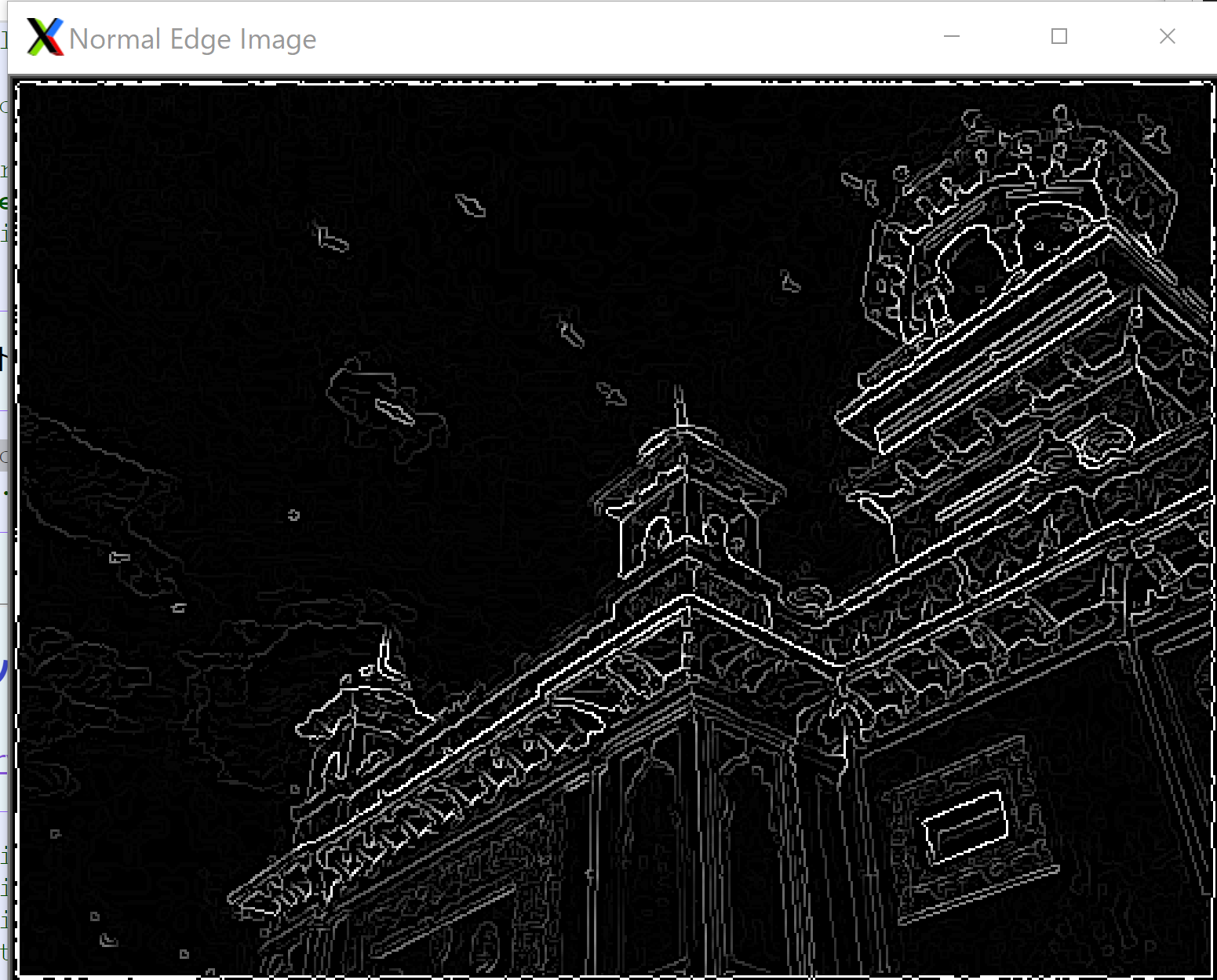
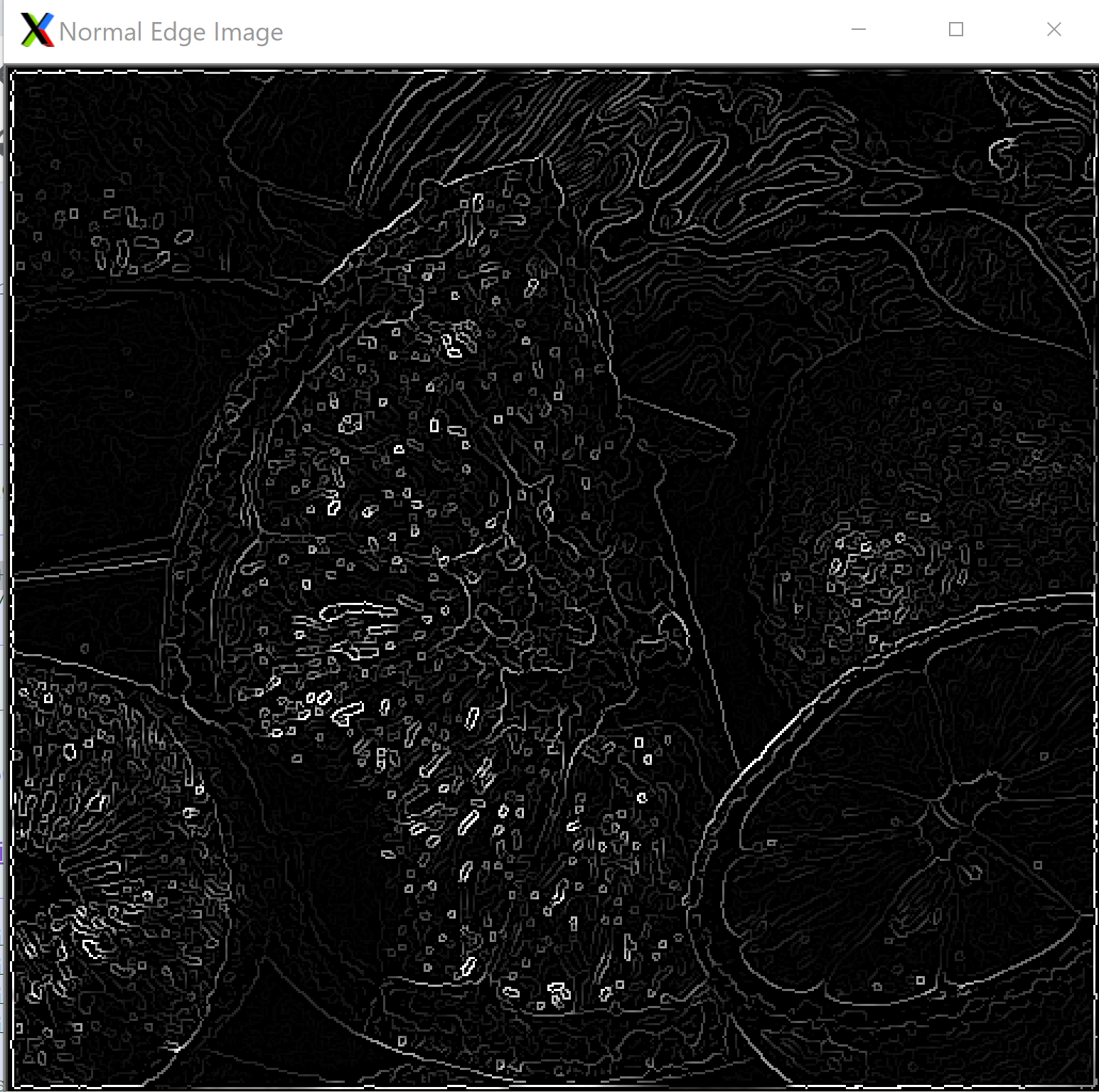
dlib C++ Library を用いて,Sobel エッジを得る. エッジを濃淡画像(グレースケール)で表示する.
#include<dlib/gui_widgets.h>
#include<dlib/image_io.h>
#include<dlib/image_transforms.h>
#include<fstream>

using namespace std;
using namespace dlib;

int main(int argc, char** argv)
{
        array2d<rgb_pixel> img;
        load_image(img, argv[1]);
        array2d<unsigned char> blurred_img;
        gaussian_blur(img, blurred_img);

        // gradient images.
        array2d<short> horz_gradient, vert_gradient;
        array2d<unsigned char> edge_image;
        sobel_edge_detector(blurred_img, horz_gradient, vert_gradient);

        // now we do the non-maximum edge suppression step so that our edges are nice and thin
        suppress_non_maximum_edges(horz_gradient, vert_gradient, edge_image);
        image_window my_window(edge_image, "Normal Edge Image");
	my_window.wait_until_closed();
}
上のソースコードを,a.cppのようなファイル名で保存し, 次の手順でビルドして実行する.
g++ -I/usr/local/include a.cpp -L/usr/local/lib -ldlib -lpthread -lX11
./a.out home.jpg
./a.out fruits.jpg

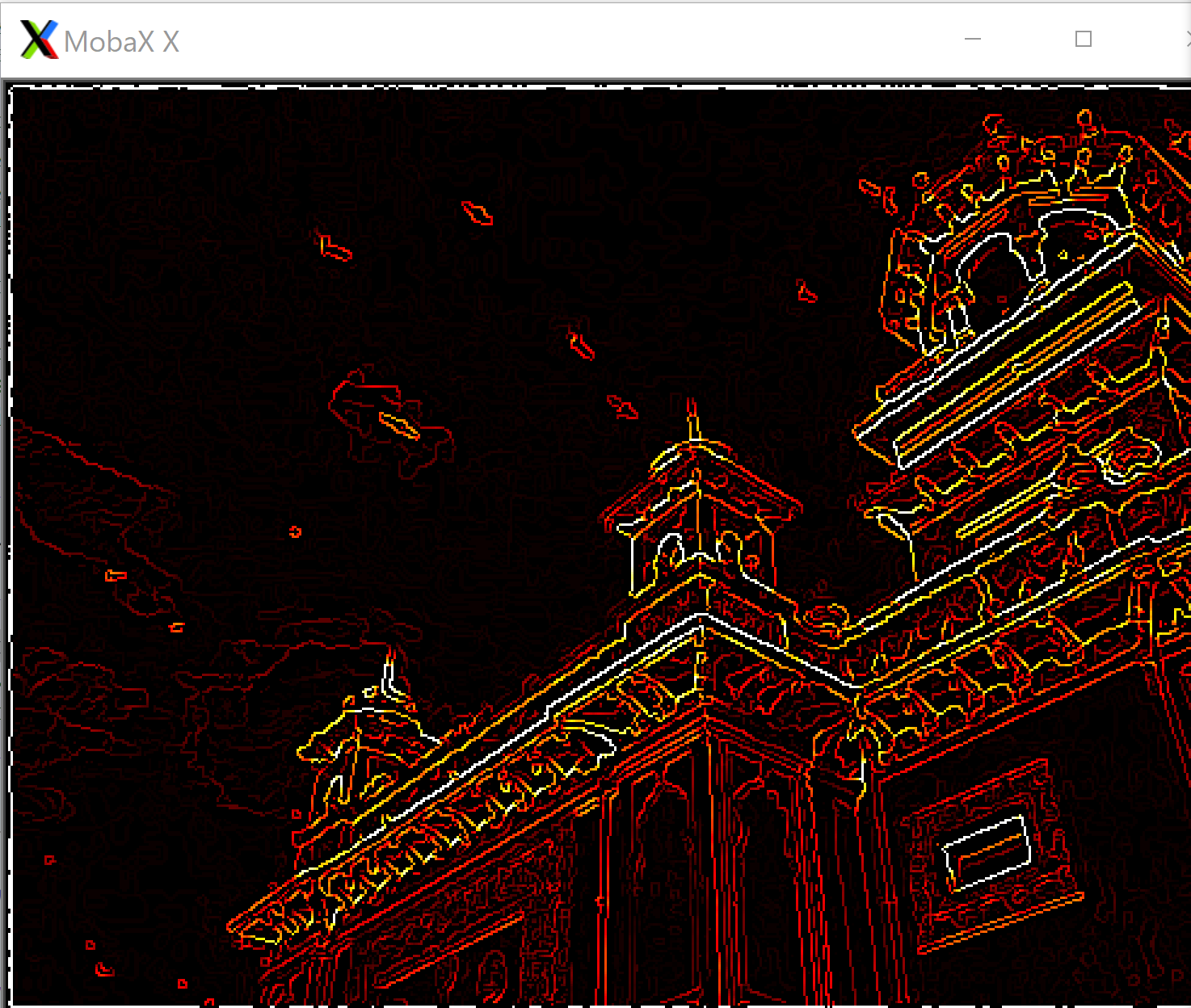
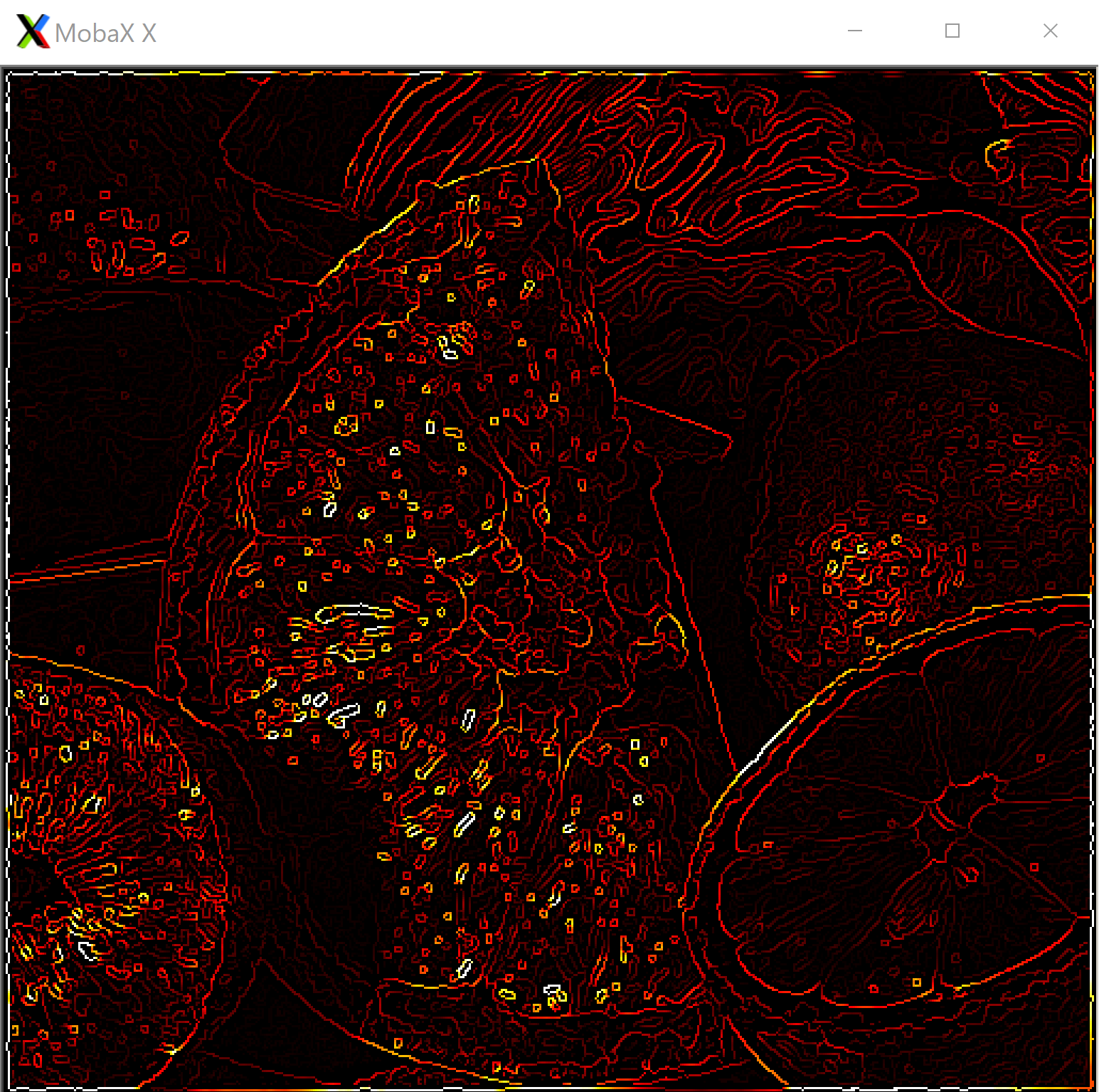
Sobel エッジ (ヒートマップで表示)
dlib C++ Library を用いて,Sobel エッジをヒートマップで表示する.エッジの強度を暖色系のグラデーションで可視化する.
#include<dlib/gui_widgets.h>
#include<dlib/image_io.h>
#include<dlib/image_transforms.h>
#include<fstream>

using namespace std;
using namespace dlib;

int main(int argc, char** argv)
{
        array2d<rgb_pixel> img;
        load_image(img, argv[1]);
        array2d<unsigned char> blurred_img;
        gaussian_blur(img, blurred_img);

        // gradient images.
        array2d<short> horz_gradient, vert_gradient;
        array2d<unsigned char> edge_image;
        sobel_edge_detector(blurred_img, horz_gradient, vert_gradient);

        // now we do the non-maximum edge suppression step so that our edges are nice and thin
        suppress_non_maximum_edges(horz_gradient, vert_gradient, edge_image);
        image_window my_window(heatmap(edge_image));
	my_window.wait_until_closed();
}
上のソースコードを,a.cppのようなファイル名で保存し, 次の手順でビルドして実行する.
g++ -I/usr/local/include a.cpp -L/usr/local/lib -ldlib -lpthread -lX11
./a.out home.jpg
./a.out fruits.jpg

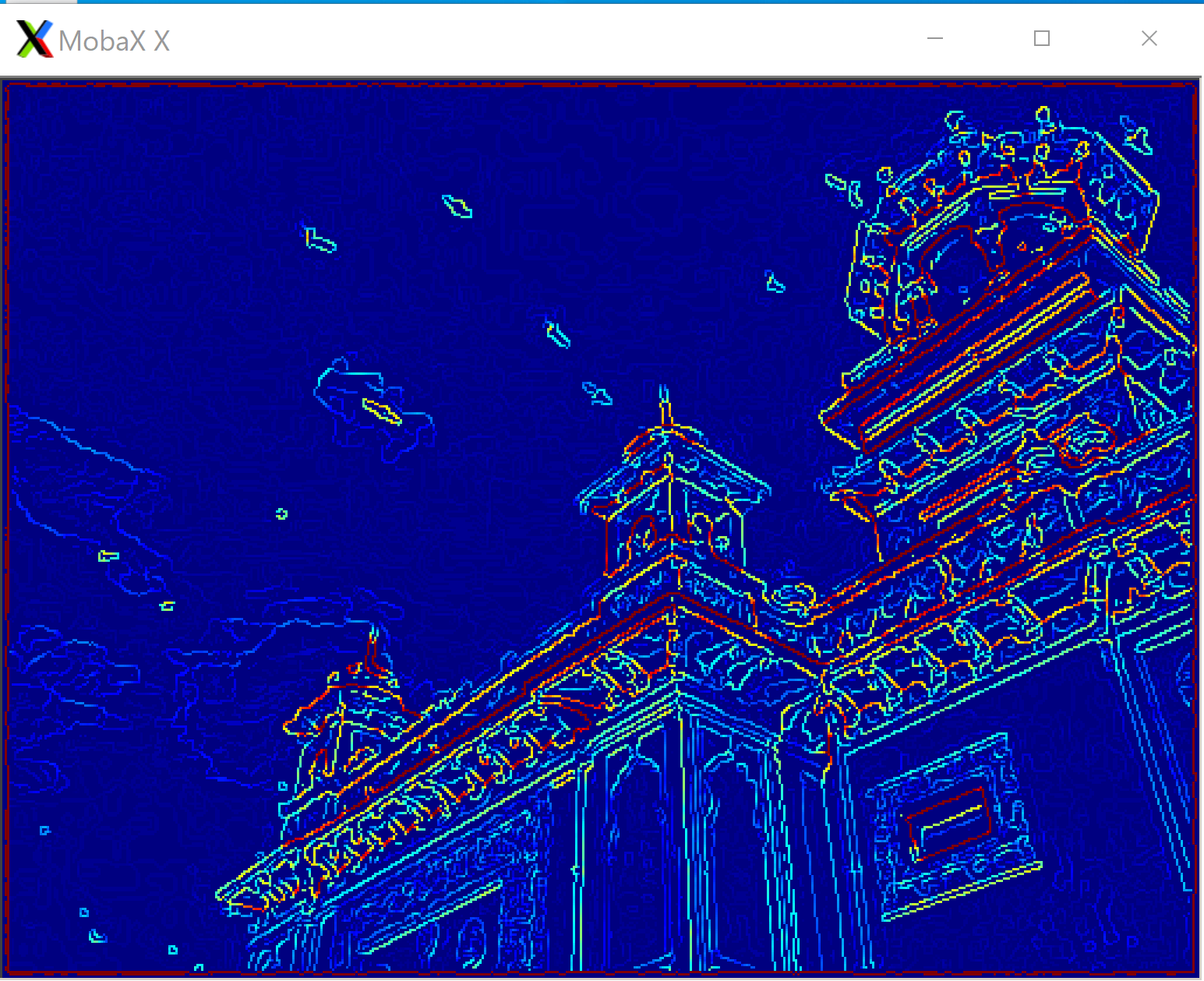
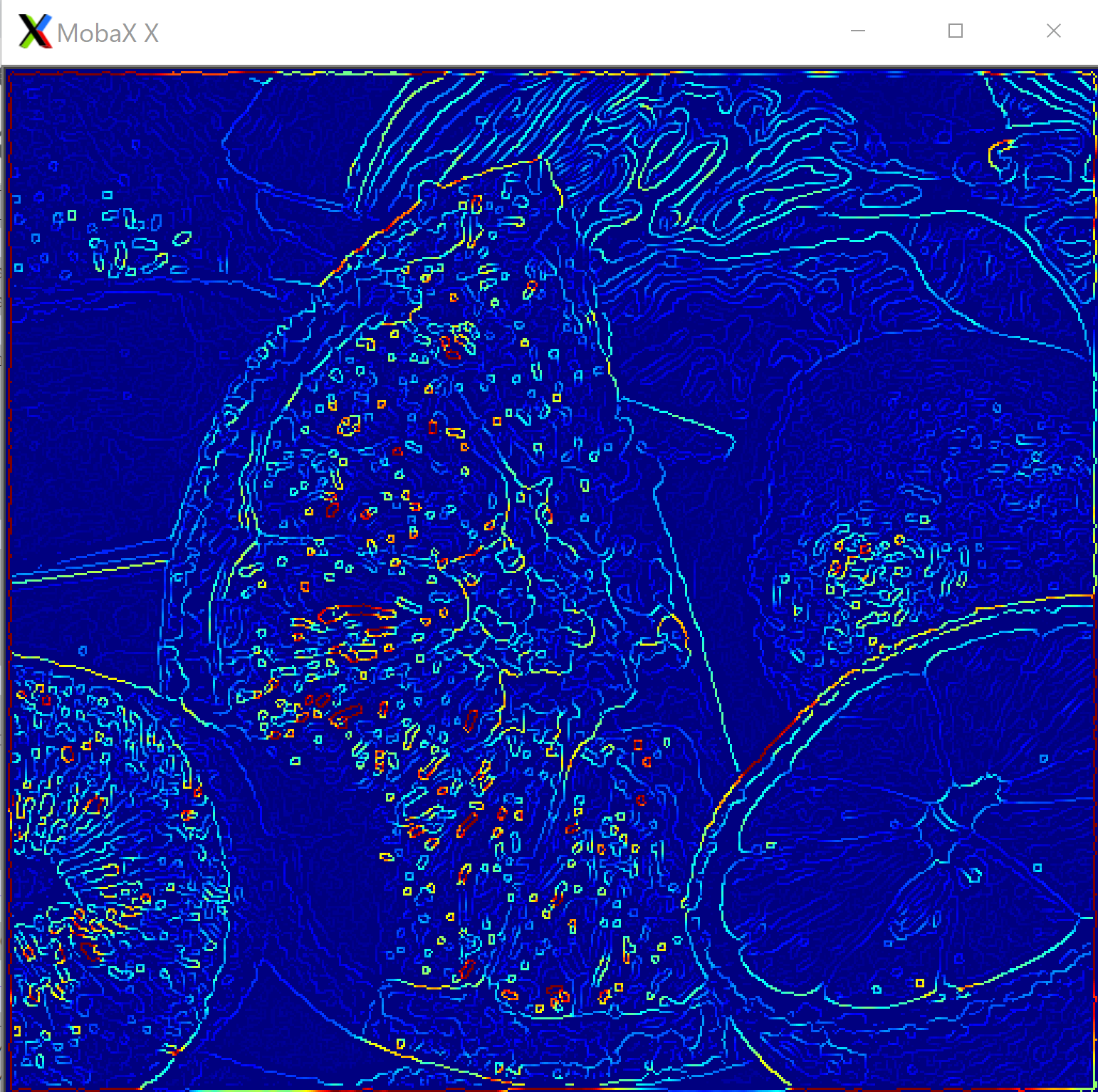
Sobel エッジ (Jet カラーマップで表示)
dlib C++ Library を用いて,Sobel エッジを Jet カラーマップで表示する.エッジの強度を青から赤へのグラデーション(虹色)で可視化する.
#include<dlib/gui_widgets.h>
#include<dlib/image_io.h>
#include<dlib/image_transforms.h>
#include<fstream>

using namespace std;
using namespace dlib;

int main(int argc, char** argv)
{
        array2d<rgb_pixel> img;
        load_image(img, argv[1]);
        array2d<unsigned char> blurred_img;
        gaussian_blur(img, blurred_img);

        // gradient images.
        array2d<short> horz_gradient, vert_gradient;
        array2d<unsigned char> edge_image;
        sobel_edge_detector(blurred_img, horz_gradient, vert_gradient);

        // now we do the non-maximum edge suppression step so that our edges are nice and thin
        suppress_non_maximum_edges(horz_gradient, vert_gradient, edge_image);
        image_window my_window(jet(edge_image));
	my_window.wait_until_closed();
}
上のソースコードを,a.cppのようなファイル名で保存し, 次の手順でビルドして実行する.
g++ -I/usr/local/include a.cpp -L/usr/local/lib -ldlib -lpthread -lX11
./a.out home.jpg
./a.out fruits.jpg